Troubleshooting
This feature is in Alpha. The menu feature doesn't exist yet.
- Bluefin AI page - gives this page more context on our plans for Bluespeed
In the menu select "Ask Bluefin" to use the chat agent.
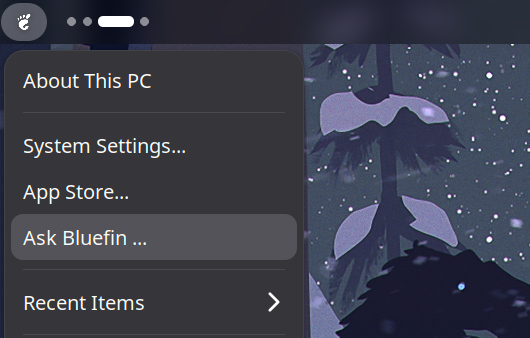
"Ask Bluefin", is a custom operating system agent. For you new users, a system designed to help you learn Linux, without the toil of digging through the internet or being told that you installed the wrong Linux distribution. "Ask Bluefin" is trained on the operating system and its documentation, so it's always learning from the source of truth and tweaked by the community. For you Linux veterans, a power diagnostic tool for your local PC, with built in integration to your servers and cluster ...
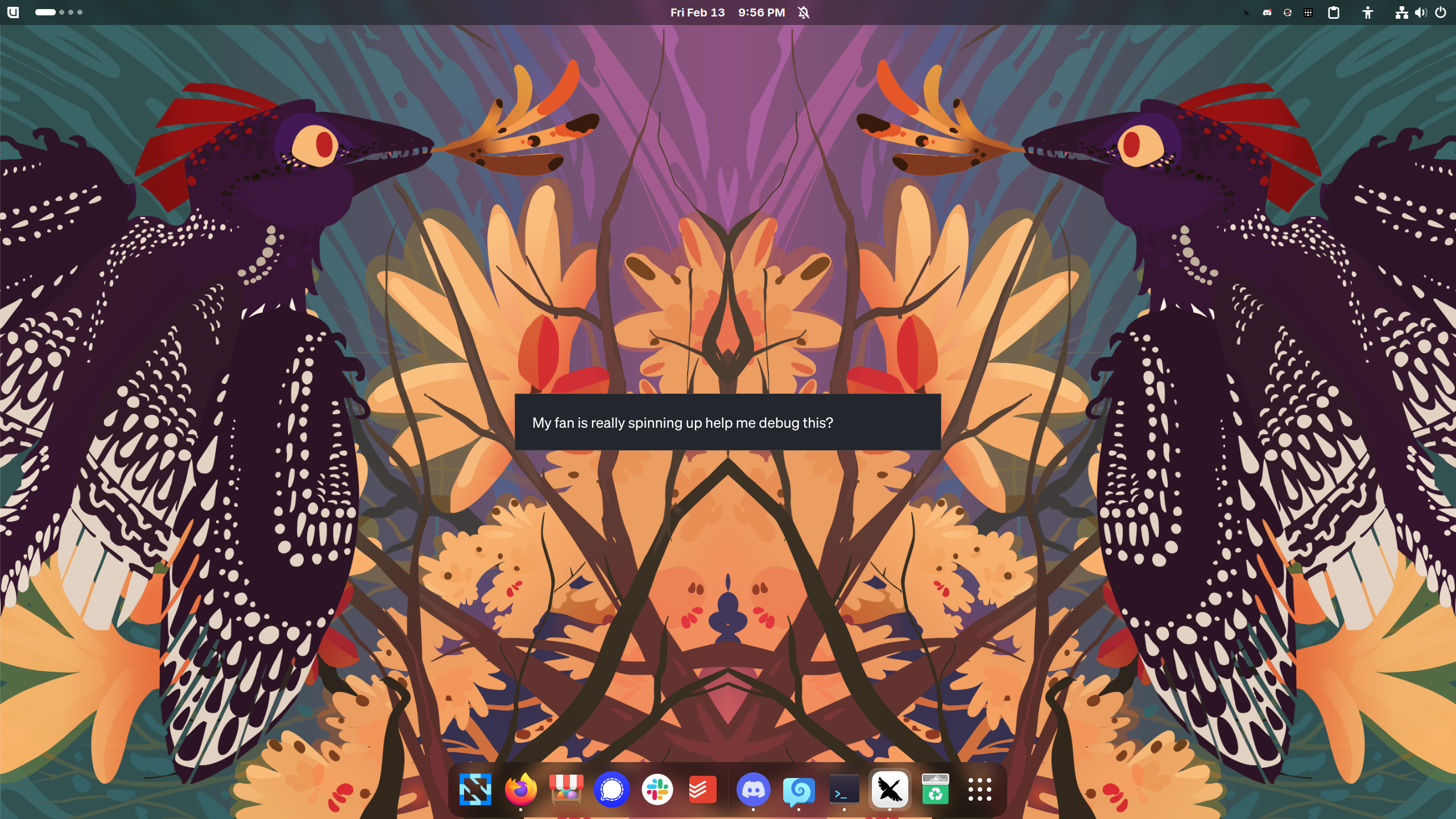
Ctrl-Alt-Shift- g will invoke a quicklaunch so that you can invoke the help agent with one keystroke:
Installation
- Linux
- macOS
brew install rhel-lightspeed/tap/linux-mcp-server
brew install rhel-lightspeed/tap/linux-mcp-server
This installs linux-mcp-server, the Goose client, and our config. Follow the instructions in the terminal, then continue with the configuration steps below for MCP setup and your preferred LLM provider.
Configuration
You need to install and configure the MCP servers to use this. Pull requests to automate this welcome!
linux-mcp-server
Provides system diagnostics and monitoring tools:
- System information (OS, kernel, hardware)
- Process management
- Service monitoring (systemd)
- Log access (journalctl)
- Network diagnostics
- File system inspection
Repository: rhel-lightspeed/linux-mcp-server
MCP Configuration
The configuration process differs depending on which AI client you're using:
Goose Configuration
Step 1: Install linux-mcp-server
brew install rhel-lightspeed/tap/linux-mcp-server
Step 2: Configure Goose
Run the setup script that ships with linux-mcp-server. If a config already exists it prints the snippet to add manually instead:
goose-mcp-setup
This creates ~/.config/goose/config.yaml with the linux-tools extension pre-configured:
extensions:
  linux-tools:
    enabled: true
    type: stdio
    name: linux-tools
    description: Linux system administration and diagnostics
    cmd: /home/linuxbrew/.linuxbrew/bin/linux-mcp-server
    envs:
      LINUX_MCP_USER: <your-username>
      LINUX_MCP_LOG_LEVEL: INFO
      LINUX_MCP_SSH_KEY_PATH: ~/.ssh/id_ed25519
    timeout: 30
    bundled: null
    available_tools: []
    args: []
Step 3: Configure your LLM
For most providers — Anthropic, OpenAI, Gemini, etc. — run goose configure and follow the prompts to enter your API key.
For local models, Ramalama is the recommended option. It manages models as containers and serves an OpenAI-compatible endpoint that Goose reaches via the ollama provider. Use the full ramalama command here, matching the upstream RamaLama docs:
brew install ramalama
ramalama serve qwen3:8b
Then run goose configure, select Ollama, and set OLLAMA_HOST to http://localhost:8080.
LM Studio (brew install lm-studio) is a graphical alternative — launch it, load a model, enable the local server, then select LM Studio in goose configure.
Ghost is a shared local inference server running Qwen3-35B. No API key, no model download required. After goose-mcp-setup, run this to switch Goose over:
python3 -c "
import re, pathlib
p = pathlib.Path.home() / '.config/goose/config.yaml'
c = p.read_text()
c = re.sub(r'^GEMINI_CLI_COMMAND:.*\n', '', c, flags=re.MULTILINE)
c = re.sub(r'^GOOSE_PROVIDER:.*', 'GOOSE_PROVIDER: openai', c, flags=re.MULTILINE)
c = re.sub(r'^GOOSE_MODEL:.*', 'GOOSE_MODEL: unsloth/Qwen3.6-35B-A3B-GGUF', c, flags=re.MULTILINE)
if 'OPENAI_HOST' not in c:
    c = 'OPENAI_HOST: http://ghost.localdomain:8080\nOPENAI_API_KEY: not-needed\n' + c
p.write_text(c); print('Done — Goose is now pointing at Ghost.')
"
Step 4: Start Goose
goose session
Security Considerations
- MCP servers run with your user permissions
- Only install MCP servers from trusted sources
- Review server documentation for required permissions
- Use environment variables for sensitive credentials (don't hardcode in config)
- Regularly update MCP servers to get security patches
Further Reading
Automated Troubleshooting
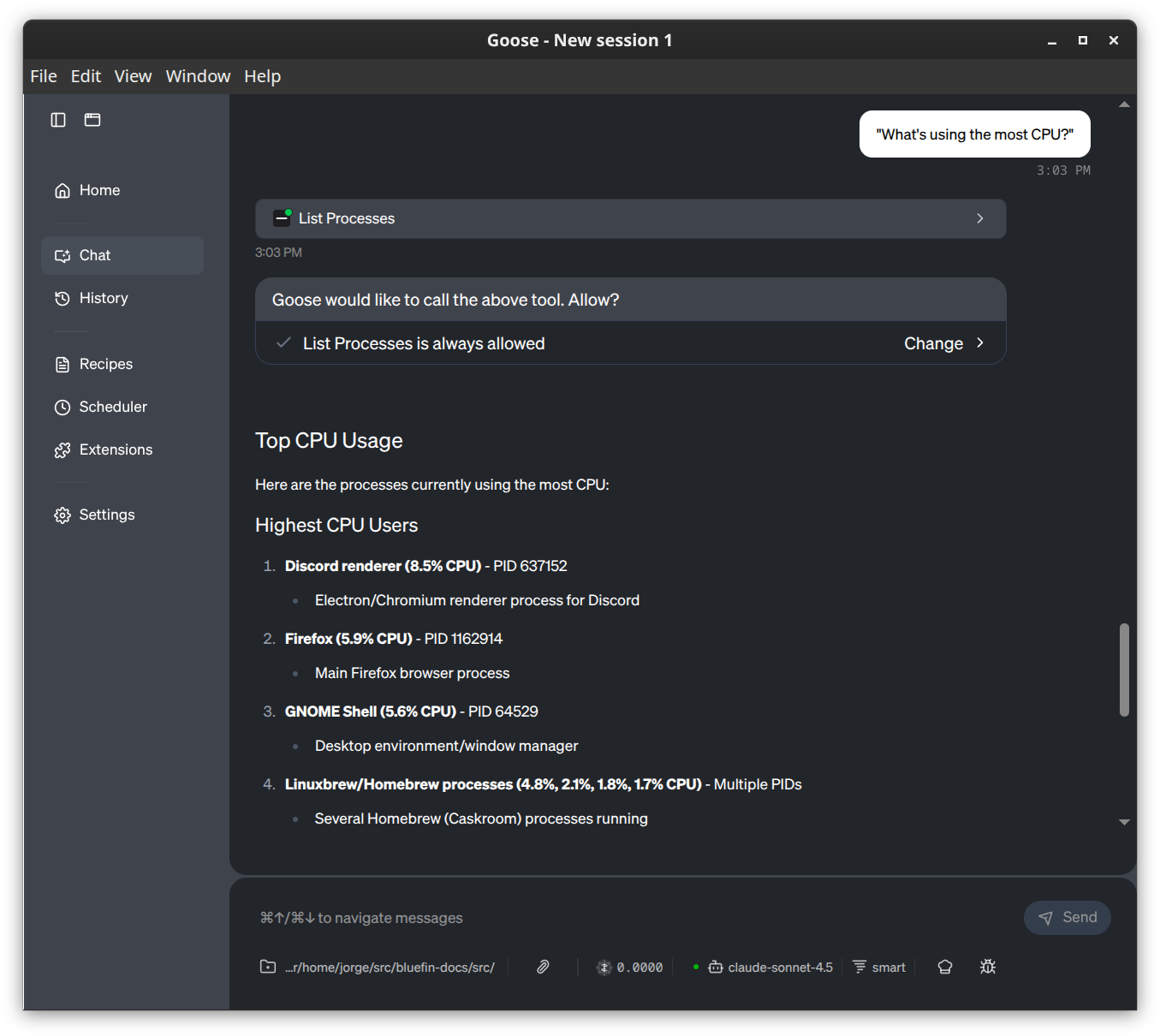
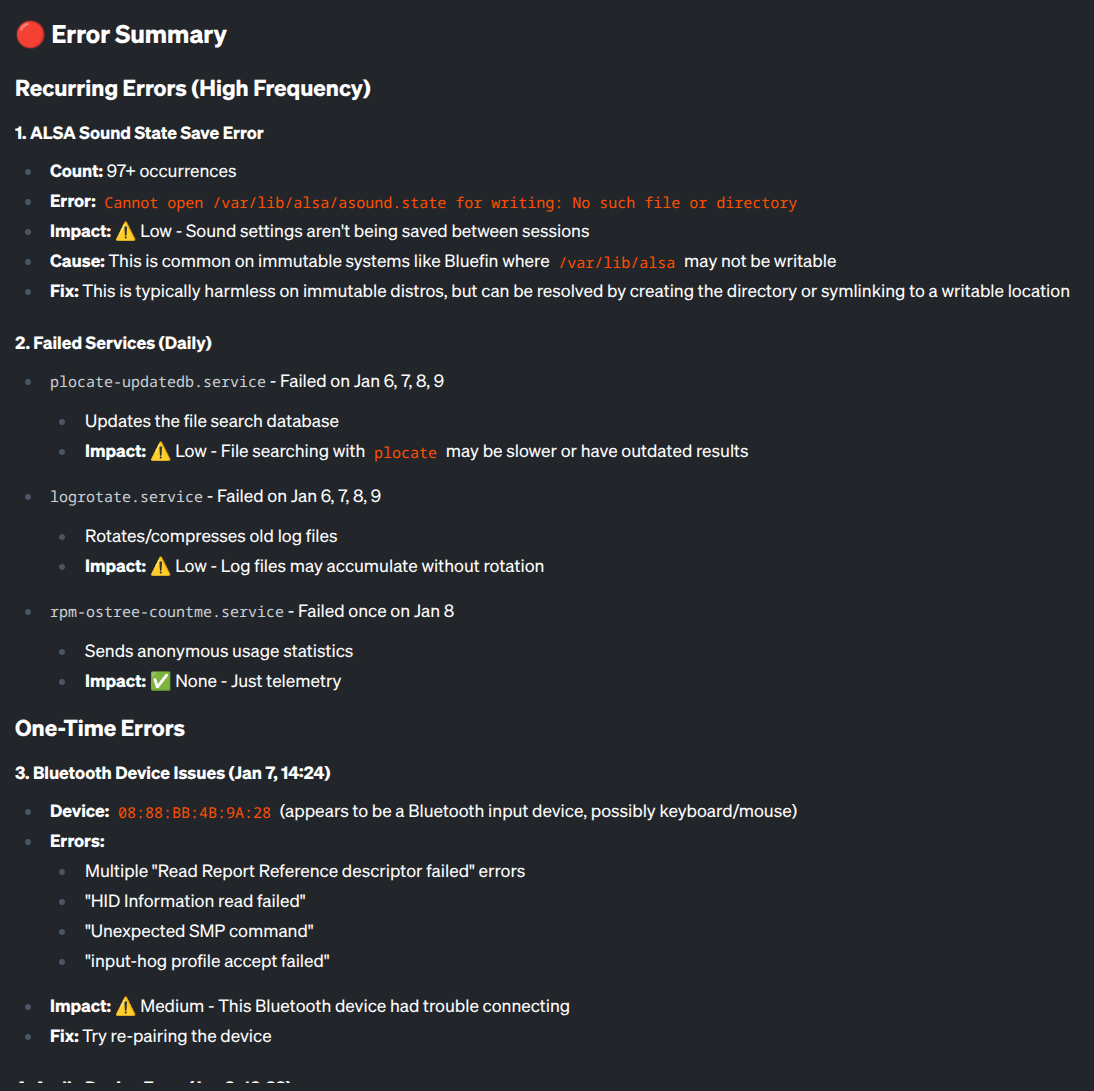
You can ask the tool things about your system using natural language:
System Health
Note: these are taken from the linux-server-mcp page but you get the idea:
| I want to check... | Use this tool | Example Prompt |
|---|---|---|
| OS / Kernel | get_system_information | "What OS version is this?" |
| CPU Load | get_cpu_information | "Is the CPU overloaded?" |
| Memory / RAM | get_memory_information | "How much free RAM do I have?" |
| Disk Space | get_disk_usage | "Are any disks full?" |
| Hardware | get_hardware_information | "List the PCI devices." |
Troubleshooting
| I want to check... | Use this tool | Example Prompt |
|---|---|---|
| Running Apps | list_processes | "What's using the most CPU?" |
| Process Details | get_process_info | "Inspect process ID 1234." |
| Services | list_services | "Are all services running?" |
| Service Status | get_service_status | "Why did nginx fail?" |
| System Logs | get_journal_logs | "Show errors from the last hour." |
| Service Logs | get_service_logs | "Show recent logs for sshd." |
| Specific Log File | read_log_file | "Read the last 50 lines of /var/log/messages." |
Network
| I want to check... | Use this tool | Example Prompt |
|---|---|---|
| IP Addresses | get_network_interfaces | "What is my IP address?" |
| Open Ports | get_listening_ports | "What ports are open?" |
| Connections | get_network_connections | "Who is connected to port 22?" |
Files & Storage
| I want to check... | Use this tool | Example Prompt |
|---|---|---|
| Disk Partitions | list_block_devices | "Show me the partition layout." |
| Large Folders | list_directories | "Find the largest folders in /var." |
| Recent Changes | list_files | "What files in /etc changed recently?" |
Pro Tips
-
Combine Tools: You don't need to ask for one thing at a time.
"Check CPU usage and show me the top 5 processes."
-
Filter Logs: Be specific with time and priority to save context window.
"Show me
errorpriority logs from the last30 minutes." -
Remote Hosts: If you configured SSH, just ask to run on a specific host.
"Check disk usage on
webserver1."
Optional: Dosu Knowledge Base
Dosu is a knowledge management tool that gives the agent access to your team's documentation, GitHub threads, and knowledge base. It requires a free Dosu account.
Install the CLI and authenticate:
brew tap dosu-ai/dosu
brew install dosu
dosu login
Goose is not yet a natively supported tool in Dosu's MCP integration. After logging in, use the manual config path to get your connection details:
dosu mcp add manual --show-secret
This prints your Dosu MCP URL and API key. Add them to ~/.config/goose/config.yaml under extensions:
extensions:
  dosu:
    enabled: true
    type: streamable_http
    name: dosu
    description: Dosu knowledge base
    uri: <url from dosu mcp add manual>
    headers:
      X-Dosu-API-Key: <key from dosu mcp add manual>
    timeout: 30
Once added, you can ask Goose questions that draw on your org's docs alongside the live system data from linux-mcp-server.