Gradia Capture Comes to Bluefin

Screenshots are bug reports, social posts and memes. The faster you can capture the thing, draw an arrow at the thing and send it, the better.
Bluefin is rolling out an upgraded screenshot experience with Gradia and Gradia Capture. The Gradia Flatpak is built in and ready out of the box for new users (Existing users might need to install it in the Bazaar App Store, we'll figure out how to automate it, send issues!) and Gradia Capture hooks into GNOME's screenshot flow so the path from capture to annotation feels native.
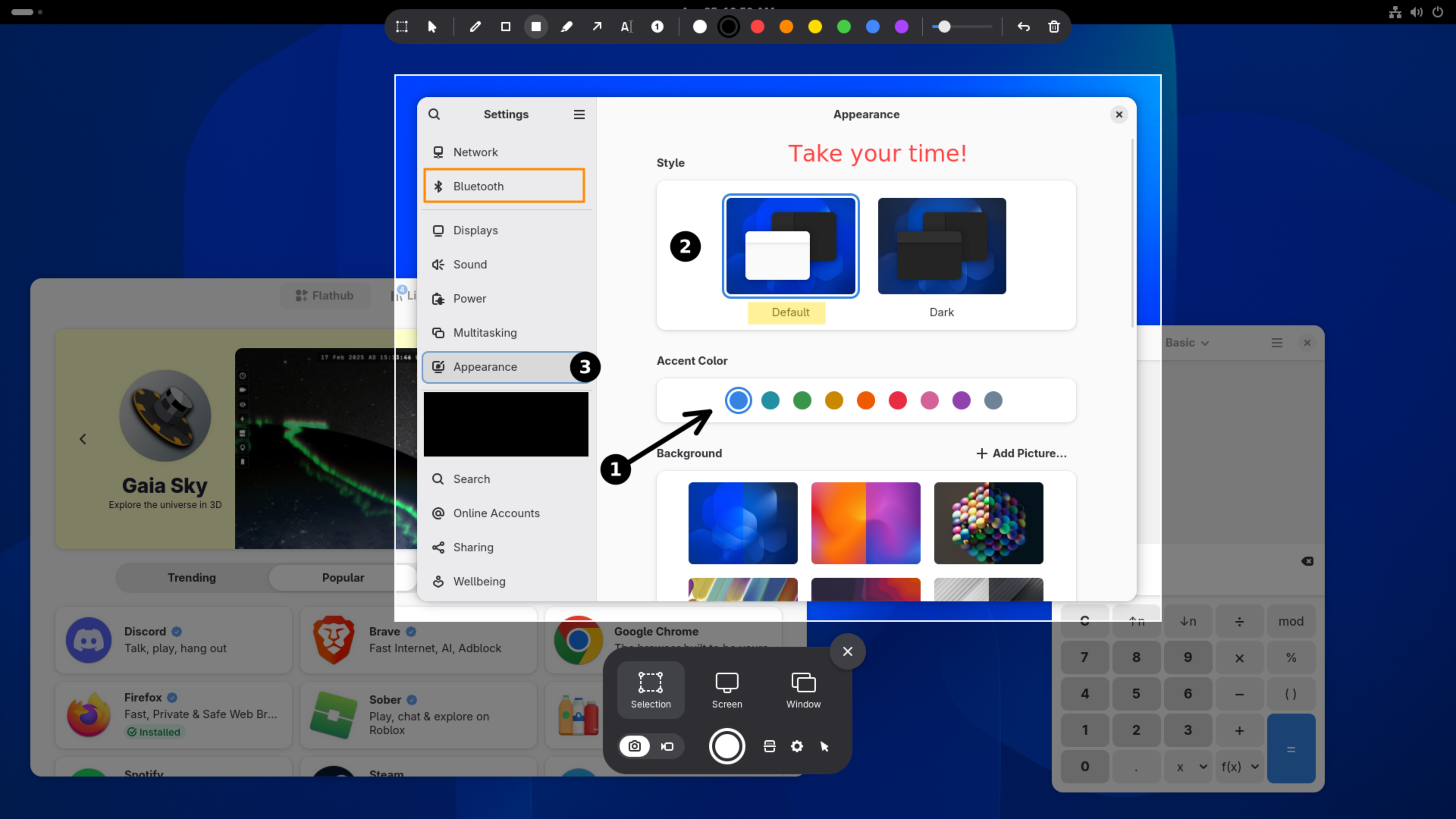
Capture, mark up, send it
Gradia gives you the finishing tools that screenshots usually need before they are useful: text, arrows, censoring, padding and quick upload. Gradia Capture brings that into the screenshot moment with annotations and OCR text recognition, optionally you can hand it off to Gradia for further editing.
Gradia and Gradia Capture are built by Alexander Vanhee. If this saves you time, please send some support upstream. Supporting builders like Alexander helps keep that momentum going and helps modern Linux desktop like Bluefin keep shipping great apps out of the box.