
2 posts tagged with "server"

View all tags

Bluefin Server Alpha 2
· 4 min read
Project Bluefin
Automation & Factory

Alright, here it is, Bluefin Server, this one actually boots. This is the base of the Bluefin Factory, the thing you'll build your homelab on. And in turn, your desktops or whatever you want. Kubernetes for the home.
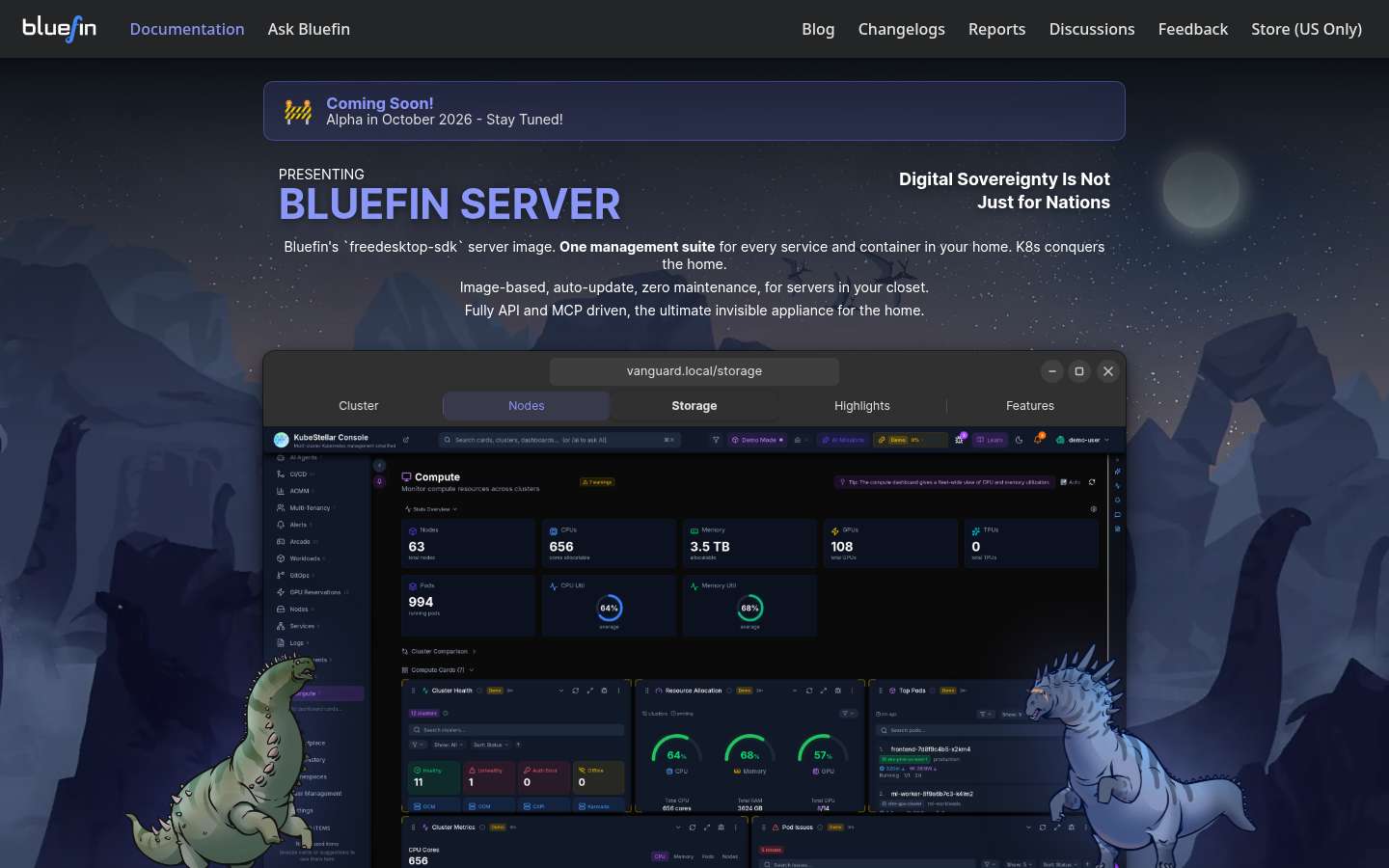
Bluefin Server

An FSDK-based, image-based Linux server OS.**

To celebrate this milestone, enjoy the latest video, with some fresh lore!

Bluefin Server targets the same use-case space as Flatcar Container Linux, Kairos, Fedora CoreOS, and Talos, but is built from scratch with BuildStream 2 from freedesktop-sdk (FSDK 26.08) components and uutils coreutils.

It is designed to be installed and then managed entirely through the Kubestellar GUI. I'll be releasing point releases quickly over the next few days. After the install it will give you a web address, then you go to it on your computer. Then that's it, your perfect home server.

Except the dashboards are empty. The more people we have making these the better, including a ZFS one! This variant will have ZFS support so now's the time to jump onboard!

It is DDI first: the OS payload is a compressed XFS DDI filesystem image that is deployed by an offline, systemd-native installer.

Release status: Alpha

Bluefin Server is currently in Alpha:

  • Milestone status: Phase A (reproducible build path, uutils, k0s sysext, graph validation) is complete. Phase B (automated boot verification on lab cluster) is in progress.
  • systemd-sysupdate should work, we're about to find out! configurations.
  • Readiness roadmap: Track completed criteria and remaining gates toward 1.0 in docs/MVP_1_0_READINESS.md.

How this works

  • A/B root rollback — an MVP 1.0 gate: 50-root.transfer names root-a and root-b; the installer currently creates only root-a.
  • DDI-first delivery — the installer embeds the OS payload as a data partition; no network is required at install time. This is basically Linux systemd style.
  • Minimal, distroless OS image — no shell in the running rootfs by default IS what we are shooting for. We'll probably fail at this lol.
  • systemd-native installersystemd-sysinstall provides the interactive terminal UI and systemd-repart handles partitioning and block-copy DDI placement. Finally distro installers can all go die!
  • Optional k0s as a systemd-sysext so the base image stays distroless. We started with k3s but I want to see how this one goes, stripped down for the home.

SSH ON: SSH is enabled for cluster boot tests and remote debugging. It is scheduled for removal once diagnostics move to serial logs or a guest agent. See docs/skills/factory-integration.md.

Quick start

Bare metal sorely needed! However this runs on any Linux, feel free to fire up a VM and start designing that dashboard! Once we get home assistant and all the goodies it'll be amazing! Thanks for checking it out!

You need only podman and just. BuildStream runs inside the FSDK bst2 container, so BuildStream is not installed locally.

just validate # resolve the element graph
just show-me-the-future # end-to-end QEMU installer smoke test

See AGENTS.md for the full build command matrix, hard rules, and agent skill routing.

Contributing

See CONTRIBUTING.md for the contributor checklist, Conventional Commit rules, and docs/skills/index.md for task-specific guidance.

Knuckle: Flatcar Container Linux for the Home

· 6 min read
Jorge O. Castro
Director of Dinosaurs

Check out this announcement about Azure Container Linux GA. I won't be talking about Azure Linux 4.0. That's the "distro".

Let's talk about Flatcar Linux instead. This is an OS that's stripped down, designed for you to drop what you want on it. It is in the CNCF and a perfect fit for us. Every raptor needs a nest. Afterall, linux is linux. Our homelabs should be badass.

The Problem with Installing Flatcar (and CoreOS)

Both Flatcar Container Linux and Fedora CoreOS use Ignition for first-boot provisioning — a powerful declarative system that requires you to write a complete JSON (or Butane YAML) config file before you can install. There is no interactive configuration during install it's pretty nerdy. Basically for all intents and purposes, uninstallable for enthusiasts. For experienced Kubernetes operators this always-in-pain life is fine, but for homelab users and folks new to container-native Linux, it's annoying. And our mission is to help OSS developers which means, we cover all aspects. And from reading the room, I think a lot more people are going to want to self host. And so are organizations. This is why it has to be cloud native, you gotta have the server ↔ client goodness to compete.

It would be madness to create our own installer, so Knuckle just translates that stuff into something the Flatcar installer understands and then that's it. It's the real image. And we added some nice conveniences like choosing systexts. That's it. A pure vanilla brick wth a fancy ignition translator. What are you going to build with yours? Here's what we've been working on:

Enter Knuckle

Knuckle TUI installer — the guided wizard welcome screen

Knuckle is a TUI "installer" for Flatcar Container Linux. It gives you an Ubuntu-server-style guided wizard that generates a valid Ignition config and passes it to flatcar-install — no hand-crafted JSON required. Knuckle is "basically Azure Container Linux (Home Edition)." but it's the upstream unbranded one with not many strong opinions.

We even wired in the sysexts and whatnot.

Knuckle sysext catalog — browse and select system extensions from the Flatcar Bakery during install
Knuckle install progress — live progress bar while flatcar-install runs

Note: Knuckle is pre-alpha software. It will wipe the target disk. UEFI-only; BIOS/legacy boot is not supported.

Why Flatcar?

Flatcar is an awesome OS, here's a list. I like it because it offers different stability channels, making it easy to canary test on clusters, etc. But it's also a great building block to build your server on:

  • Read-only system partition — dm-verity protected; eliminates a whole class of vulnerabilities
  • Automatic atomic updates — using the same mechanism as Google ChromeOS; atomic rollbacks supported, this is actually built with Gentoo upstream!
  • System Extensions (sysexts) — Extend your server with the Flatcar Bakery
  • Ignition provisioning — declarative first-boot config, shared format with Fedora CoreOS
  • No package manager — user workloads run as containers (Docker, Kubernetes) or sysexts; the OS itself never drifts
  • CNCF governance — vendor-neutral, community-maintained, built to outlast any single company's interest
  • Production-proven at scale: Adobe (18,000+ nodes), STACKIT (20,000+ nodes, their customers' most popular OS choice), and many more

People sometimes ask why we don't make a Server Edition. It's because we don't care about distributions it's all Kubernetes. :) And even if it fails at that we can prove people want it. But the nice thing about flatcar is it comes empty and is great for lots of projects. For me it's the last OS you install on your new server build. Problem solved, I have jellyfin to set up let's go!

Intent

This project is intended to spread the use of Flatcar Linux and Fedora CoreOS to the home enthusiast audience. Digital Sovereignty isn't just for nations, so we're going to use the tools nations use to make our lives awesome. We hope that this will live somewhere upstream and unites the CoreOS family.

Knuckle is feature complete, we won't be adding whizbang features, it's vanilla only and will only ever support vanilla. However ...

Bluefin Server?

Since this is all well designed cloud-native stuff: "upstream + opinion = product".

  • k8s configured for single node operation, easy to expand (you just set up another one)
  • Single webui to schedule whatever you want, say jellyfin, all the self-hosted stuff of your dreams
  • All that dashboard stuff you want to show off to your friends with
  • kubevirt out of the box, import your old VMs and redeploy on your new system.
  • Out of the box gitops so you can operate the entire cluster from version control
  • No CLI, No ssh, or kubectl access at all - entire cluster is API or MCP driven, magical tailscale integration
  • Standard industry gear, Kubernetes, Argo Workflows, k8s-mcp-server, bring your own workload

Now THAT is an opinion! I have a version of this running in my lab now, and we'll keep iterating, so start with ideas. It's still early days but I'm sure many of you will start prototyping with Flatcar, sky's the limit!

Get Knuckle

Download the installer ISOs from the GitHub Releases page:

ArchitectureDownload
amd64knuckle-installer-stable-amd64.iso
arm64knuckle-installer-stable-arm64.iso

SHA256 checksums and cosign signatures are published alongside each release.

  • SSH in as the core user with the key you configured
  • The OS updates itself automatically on the schedule you chose during install
  • Add software via sysexts (/etc/extensions/), containers (Docker/Kubernetes), or distrobox
  • Reprovision by re-running knuckle — no in-place mutation

Discussions