Making Our Own Fate: Dakota Alpha 2

· 13 min read
Jorge O. Castro
Director of Dinosaurs

The Final Shape is here...

RELEASE SOUNDTRACK TO HUNT BYBluefin and the Lost Tribe of Contributors

Ok look we made another Bluefin. I know what you're thinking (especially you McPhail!). We got rid of Bluefin GTS and now the team decided to make another one. How many of these things are there, it's like a string of Jurassic Park sequels. First let's level set. The product is Bluefin. That's the default Fedora one.

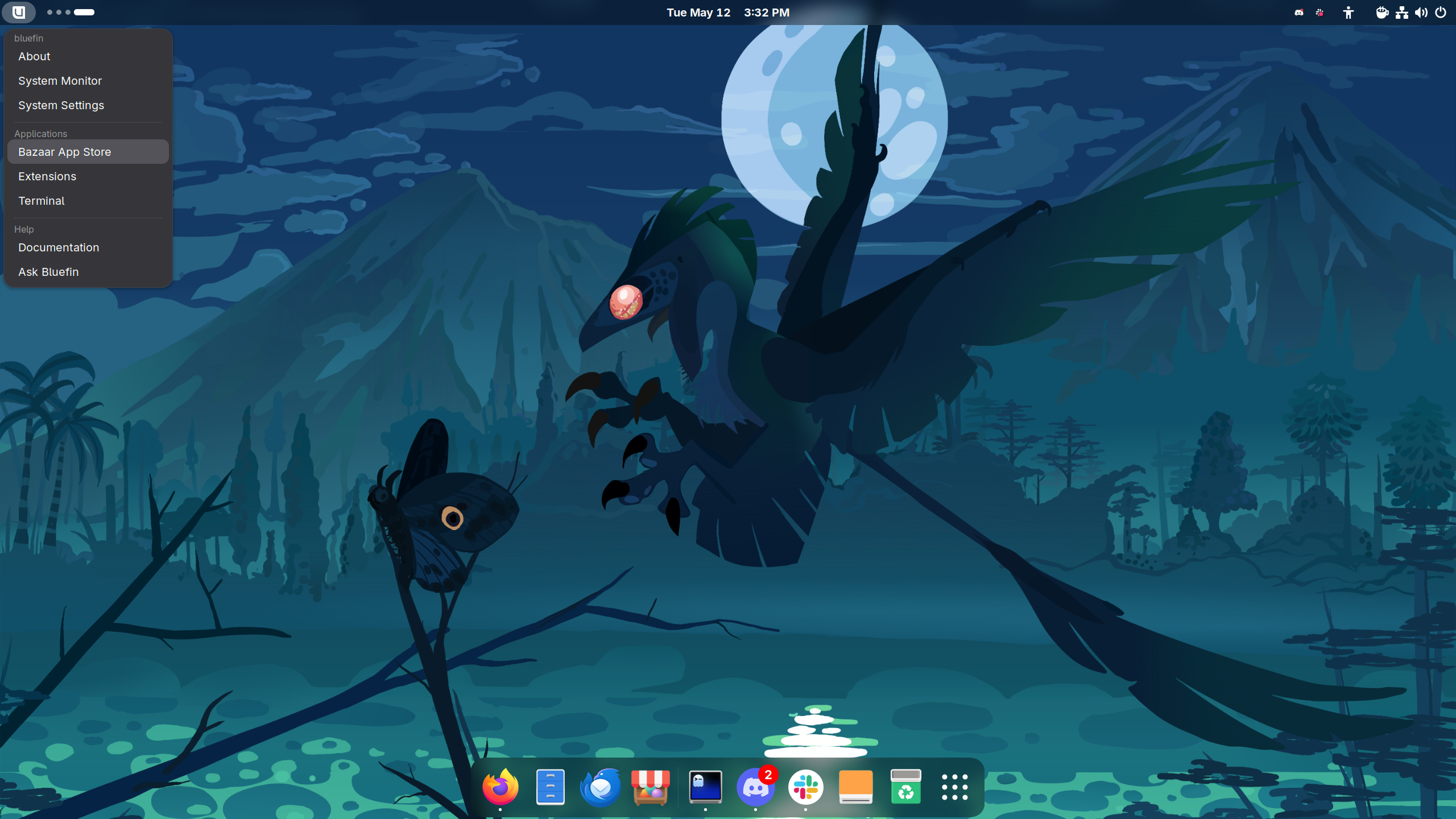
Dakota Alpha 2 desktop screenshot

Your favorite murder chicken is safe. We don't expect normal people to know what Dakota is anymore than we expect them to know what a Koenigsegg is. I can't even pronounce that name! We remain a project designed for cloud native practicioners, so we offer the very best tech the desktop has to offer. And there's good tech in BuildStream and GNOME OS, there's a compelling set of options here. This one just goes all in. I would not call yesterday's Fedora Hummingbird announcement a coincidence.

And now for the mysterious new raptor who keeps making waves:

Bluefin Dakota

latest-20260518May 18, 2026
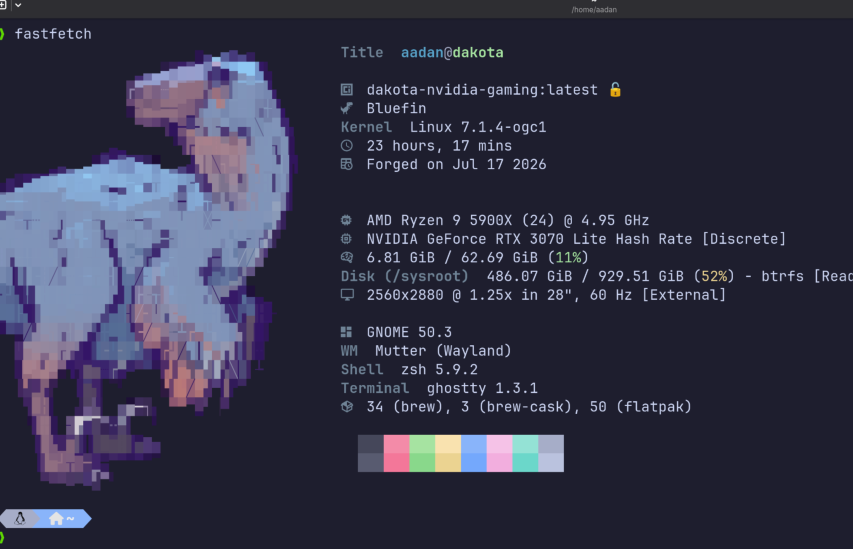
Kernel7.0.6Gnome50.1Mesa26.0.5Podman5.8.2Nvidia595.71.05bootc1.15.2systemd260.1pipewire1.6.1flatpak1.16.6

Dakota is our newest "distroless" raptor. It's built from source and directly published as a bootc image, no traditional package manager involved at all.

Wait, this is just Gentoo.

Chris Aniszczyk, CTO Linux Foundation and former Gentoo contributor

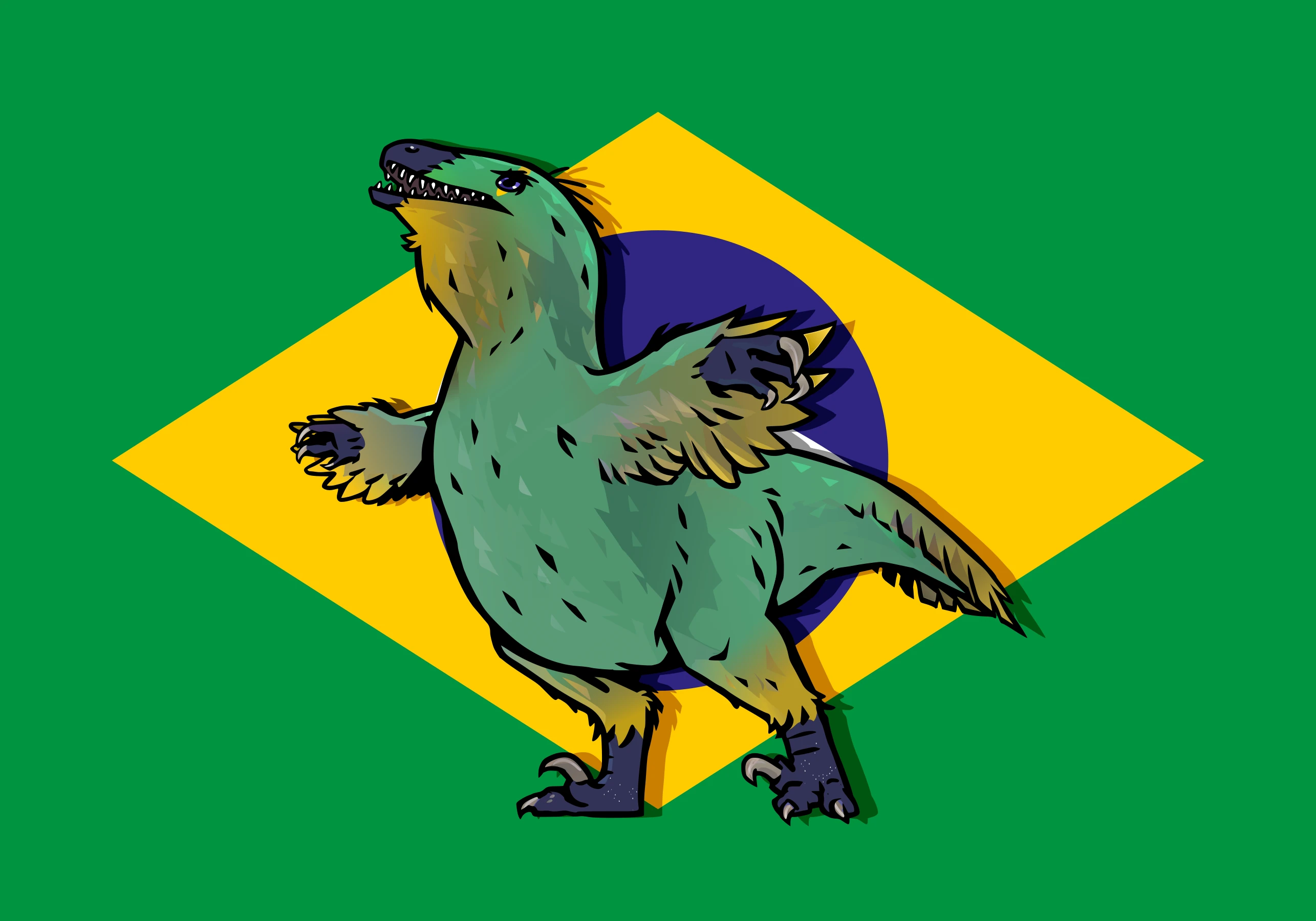
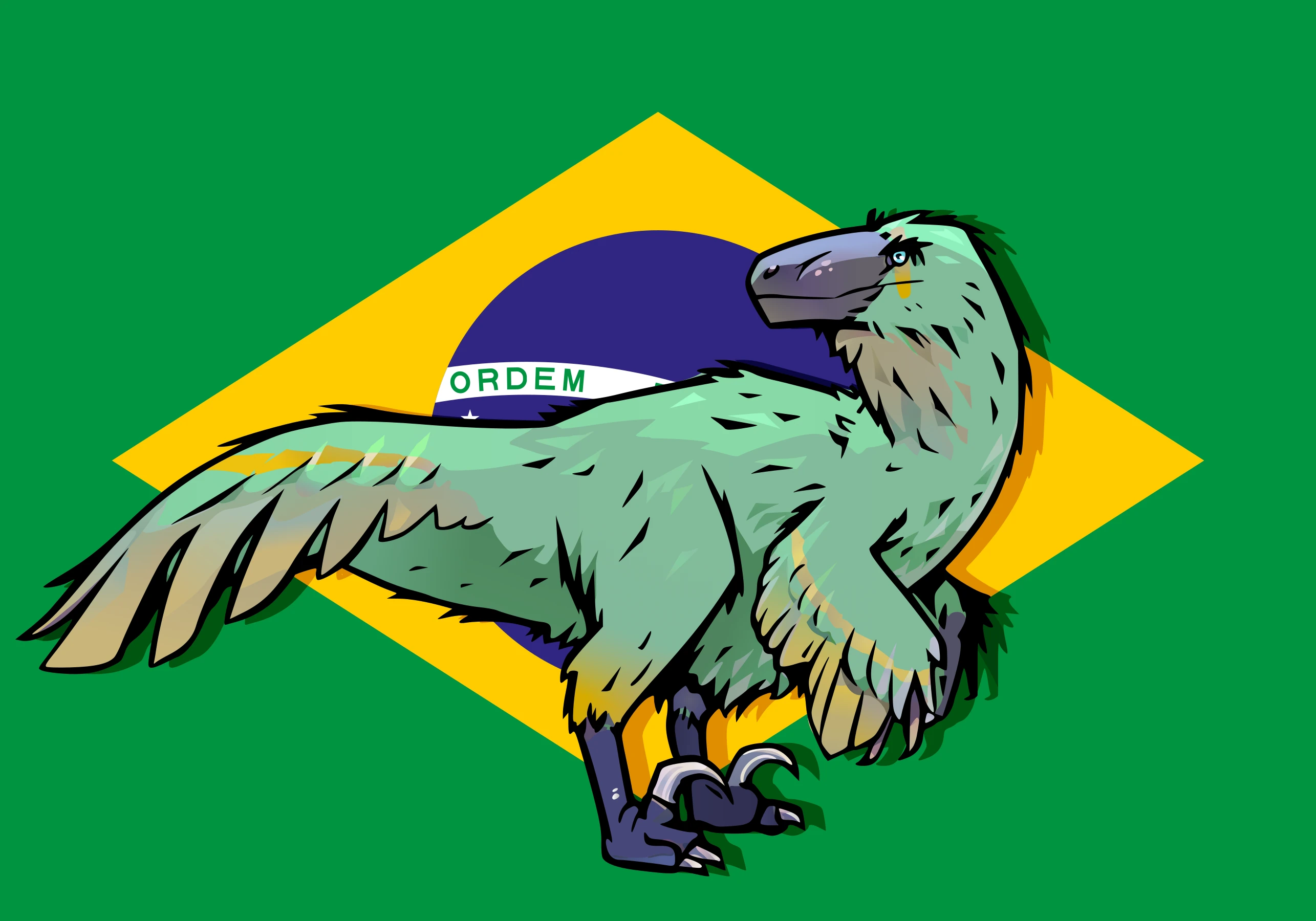
Dakota features a more aggressive push away from legacy technologies, pure image mode only. Just the best desktop we can ship, direct from GNOME and Freedesktop SDK right to you. We remove the concept of "the Linux distribution" being a platform and the top primitive, the Freedesktop SDK libraries and Flathub are our platform. No compromises. Dakotaraptor is daily driveable and has quickly exceeded all expectations.

  • GNOME 50, Linux 6.19.x, Mesa 26.x, and Freedesktop SDK 25.08.11 libraries
  • systemd-boot, UKIs, UEFI only, compiled for the x86-64-v3 architecture level
  • Oxidized coreutils - same sudo-rs and uutils setup as Ubuntu - thanks to Canonical for funding this important work
  • Mostly feature complete, it's a full Bluefin
  • Custom Command Menu — Dakota features a newly refined menu. We hope to bring this menu to other Bluefins over time.
  • Ghostty as the default terminal

Since Dakota is brand new there's no users to transition when we switch something. We are switching to Ghostty as the default terminal. This has always been a fan favorite so we're starting with it fresh here.

Last I talked to Christian Hergert we discussed having ptyxis just use a libghostty backend. This is not only totally possible but would be the ideal situation! Someone please make this.

Changes since Alpha 1

Thanks everyone who helped test, you've done a great job!

  • LUKS encryption works on install
  • Full Nvidia Image
  • Efficient layering - this image uses the upstream chunkah tool for more efficient downloads. We expect efficient delta downloads to land sometime this summer, but the infrastructure is in place now
  • Linux 7.x kernel will land once some of the bootc issues with 7.x are resolved
  • Beta target: Probably a month or so; GA target: Fall 2026
  • Want to help? GNOME OS upstream is always looking for help: os.gnome.org

Gotchas

And the big one. We cannot guarantee that this installation will be the final layout. GNOME OS is transitioning to systemd-homed eventually. That will mean either a manual transition or reinstallation. As such we likely will not go GA until this transition completes. We expect a lazy summer beta.

What now? It has been an absolute pleasure working with BuildStream over the past few weeks. The team has committed to the hardware necessary to make builds faster and the local development experience has been the best we've ever had. It has become clear and obvious to me that the combination of BuildStream and bootc brings a level of automation and developer experience that will be tough to beat.

Here's the hot take: If you look at all three raptors, all else being equal, the best development experience and best infrastructure always wins in this space. We have over a decade of cloud native industry experience to prove it, Kubernetes runs the world for a reason. This workflow is now in the Linux desktop space. I firmly believe that buildstream/bootc combined with our gitops approach will deliver a fantastic product.

Thanks to Brian Ketelsen and James Reilly for the Tuna installer. Yes they called it the Tuna installer. lol.

Thanks to Jordan Petridis, Valentin David, Adrian Vovk, Felicitas Pojtinger, and the GNOME OS team for their expertise and advisory roles - we couldn't do this without you!

Bluefin's Download Diet: Introducing Chunkah

Yes, they called the upstream rechunker "Chunkah". A rechunker is a thing we use to take an image and reslice it into more chunks. ghcr.io/projectbluefin/dakota is sliced into 120 layers instead of one big unresumable download for updates. It also takes content of the image into account. The idea being if you have components that update often, they would be group together in layers, and things that don't get updated often are group together.

That means if your computer doesn't need that layer for that update, it doesn't get downloaded. Additionally partial zstd:chunked pulls will complement the layering. This will mean that your computer will also only download the parts of the layers it needs. When combined this finally brings efficient downloads to the bootc ecosystem. Initial findings are looking good.

These alpha images are rechunked by Chunkah, but unified storage does not work on the composefs backend to bootc yet so it's not done.

Why tho? A Call to Action

After all that praise of an alpha product of all things, some may misconstrue this as abandonment of the other Bluefins or a lack of focus. Now let's talk about how we got here.

Disclaimer

This section is my opinion and does not reflect the views of the team, but is instead a reflection of my 20+ year journey working in Linux.

-- jorge

The Shoulders of Giants

Bluefin's mission is sustainaiblity, that means people. Bluefin LTS is there so we have a reason to bring people like Carl George and Shaun McCance into our ecosystem. Without Bluefin LTS Red Hat would not have as much of a financial incentive to help us out. We drive bootc forward, they invest in the software and sell it as part of their product. It's the Circle of Life, but with Linux. Red Hat did afterall, give us millions of dollars of engineering for free.

Same thing with Fedora, it's our line to that center of gravity. And we have a new approach with Fedora Hummingbird, attracting more people. It's not about the software, it's about the ecosystems we make along the way. Sounds like the kind of tripe the Linux Foundation loves to peddle! Dakotaraptor has one foot in the bootc world and one in the UAPI world.

Speeeeed

We will participate in both of those large ecosystems; that brings in the largest group of talent. Projects live and die based on the contributors that show up. We will always endevaour to work the best people at the cutting edge of Linux. We're ops people, mastery of all Linux is a requirement.

The CNCF Community via bootc, composefs, podman, and oras. The UAPI community bringing in the Linux userspace. Sounds great, let's go. Someone from Amutable please save me a shirt!

The Race to Sustainability

Colin Walters describes communities like this as "Centers of Gravity" - and we're all in one gigantic galaxy, everyone pulling and pushing around different ecosystems. All made possible by open source tools, amazing.

The state of Dakota Alpha 2 is impressive considering how few people it took to make it. For us our job is to make Bluefin as thin of a config layer as we can, our opinions are mostly in userspace anyway. It should be noted that this way is always cheapest. It is always cheaper to fix things upstream closer to the source. It's called "shifting left", yes there's a term for it lol. Welcome to cloud native.

It's here

There are those that will say that GNOME OS and KDE Linux make no sense, that's what distributions are supposed to do. I push back against that. 4% marketshare in 30 years is not a success story. And the ones that are growing are designed to be used as reliable clients and not package manglers.

Timothée Ravier once said, people don't want distributions they want experiences. And these operating systems will prove it. No one will ever give you a better KDE experience than KDE. That wasn't true in the past because distributing software over the internet was hard. Now not only is it much easier, these organizations can start greenfield with the state of the art rather than trying to adapt old techniques to the new world.

Best infrastructure wins. Fastest and cheapest development wins.

If you're into GNOME work on GNOME OS, if you're on KDE work on KDE Linux. If you like Fedora work on that. Make a friend, donate to an app developer.

Prove it, nerd

I will be discussing this in my talk at the Linux Application Summit: Making our own Fate: Why GNOME and KDE need operating systems - be there!

This is of course, all from our point of view.

GNOME OS would prefer we ship a DDI image. And some would prefer we don't exist at all and just sit as a systemd-sysext in GNOME OS. Sure, someone make one, we have buildstream, would you like fries with that? And with so many RPM-based people in the bootc world I am sure there are people who prefer that Bluefin just focus on being a Fedora with batteries included and nothing else.

But we are a forcing function - the dinosaurs are there to remind us that only the best survive the harshest ecosystems. This is especially true in the resourced starved Linux desktop ecosystem. We will continue to push. Some software is not going to make it. See you in the trenches, thanks!

It really is just a conspiracy

We built Universal Blue. Aurora, Bazzite, and Bluefin, as a team.

Then opportunites opened up for our contributors to work for organizations at the forefront of Linux. The Linux Foundation, Microsoft, Chainguard, Red Hat, and others. Driven to build around open standards but leaving room for commercial entitities to exist and thrive. And that's just the core team, as you can see from our contributor lists, the cloud native ecosystem is a significant center of gravity in open source.

You have proven that enthusiasts matter and can shape the future of the desktop. Level up your skills and organizations looking for open source talent will take you seriously, and in today's brutally competitive job marketplace, expertise in open source matters.

There's no right way to Linux, but there are certainly wrong ways to Linux. If you're new to Linux, welcome. We are your starter dungeon. We're your sysadmin team, nice to meet you, we've got your back. Greatness awaits. And also pain. Mostly pain.

Merch

Celebrate the release of a new top predator with our stylish "Dakotaraptor Forever" shirt.

Check out the rest on store.projectbluefin.io →

Download

The Resonant Assembly

One last group of people to thank. These community members participated in GitHub Discussions over the last six months. Asking questions, sharing tips, helping newcomers, and keeping the conversation going is just as valuable as code. Thank you for your help, it's important!

The Resonant Assembly

Loading...
Loading...
Loading...
Loading...
Loading...
Loading...
Loading...
Loading...
Loading...
Loading...
Loading...
Loading...
Loading...
Loading...
Loading...
Loading...
Loading...
Loading...
Loading...
Loading...
Loading...
Loading...
Loading...
Loading...
Loading...
Loading...
Loading...
Loading...
Loading...
Loading...
Loading...
Loading...
Loading...
Loading...
Loading...
Loading...
Loading...
Loading...
Loading...
Loading...
Loading...
Loading...
Loading...
Loading...
Loading...
Loading...
Loading...
Loading...
Loading...
Loading...
Loading...
Loading...
Loading...
Loading...
Loading...
Loading...
Loading...
Loading...
Loading...
Loading...
Loading...
Loading...
Loading...
Loading...
Loading...
Loading...
Loading...
Loading...
Loading...
Loading...
Loading...
Loading...
Loading...
Loading...

Filing Issues

Discussion Thread

The Dinosaur and the Hummingbird

· 2 min read
Jorge O. Castro
Director of Dinosaurs

Hey, you know who is good at making "distroless images"? Distros.

  • Scott McCarty, Challenger of The Final Shape

It seems Fedora Hummingbird has been revealed. Of course Red Hat built this, modern infra demands modern images. All they had to do was put a kernel in there. So they did. It's awesome that this will be done in Fedora!

I had heard the rumors. But it wasn't until I put two and two together and realized that Red Hat had quietly hired two Universal Blue core maintainers. They will be on the team building this. In the open, along with everybody else. This will take them some time to cook, there is a ton of work ahead. But it's closer than you think. I was able to cobble together a prototype in a day. Most of what you're about to see was grabbing the Fedora RPMs and and smelting it together. But it worked. It booted just fine.

Bluebird — a Bluefin prototype running on Fedora Hummingbird

This is also the reason why we're not doing the stable->testing->next plan. We'll likely do more one off testing branches, but work on the sealed images and Hummingbird will attract the right kind of nerds to make this interesting. I think it's cool that they're putting this in Fedora. You have the evolution of the tried and true way + a continuous integrated option that can be the prototype for a greenfield Silverblue and Kinoite.

This does not exist (yet)

Well, I got what I wanted, a CoreOS style base image to have a true "CoreOS Desktop". So is Fedora rolling or stable? Yes.

I hope some of you step up and accept's Scott's challenge, we have an opportunity to do something brand new, chances like this don't come along often! A place for a cloud native in Fedora, I can't wait to see what Legends rise.

Discussion Thread

Bluefin Spring 2026: Part of a Growing Ecosystem

· 20 min read
Jorge O. Castro
Director of Dinosaurs

Part 2 of 4

  1. Bluefin Spring 2026: Fedora 44
  2. Bluefin Spring 2026: Part of a Growing Ecosystemyou are here
  3. The Dinosaur and the Hummingbird
  4. Making Our Own Fate: Dakota Alpha 2

So many good things ...

RELEASE SOUNDTRACK TO HUNT BYBluefin and Dakota

Today we'll be talking about the software we love to ship in Bluefin.

Bazaar

Bazaar is the application store on Bluefin systems. It is designed to bring the best of Flathub to your fingertips, with a focus on directly supporting application authors. It accomplishes this by focusing on highlighting donations to app authors and ensuring that you get those applications as soon as they are released upstream. No jank.

We're proud to ship this as our app store. Flathub has over 1 billion downloads and 21% Year over Year growth. Nice.

Bazaar app store
Bazaar — a Flathub-focused app store for GNOME

We can't get there from here without a working delivery platform — please donate to Bazaar. Built by @kolunmi and @AlexanderVanhee.

Homebrew Applications

The ublue-os/tap is the production Homebrew tap for Bluefin - a curated collection of software packaged to work great on all Linuxes. Run ujust bbrew to open the interactive browser and install anything from the tap in a few keystrokes. Here are the highlights of apps added over the last cycle:

Editors and IDEs

  • Visual Studio Code — Microsoft's open-source code editor. You can now install this without needing to use a DX image
  • VS Code Insiders — The daily preview build of VS Code with the newest features.
  • VSCodium — VS Code binaries built without Microsoft telemetry or branding.
  • JetBrains Toolbox — Install, update, and manage every JetBrains IDE from one app. This installs Jetbrains into your home directory as intended by Jetbrains.

System Tools

  • framework-tool — Official CLI for Framework laptop hardware: fan control, battery charge limits, charge LED mode, input module configuration, and firmware update checks.
  • heic-to-dynamic-gnome-wallpaper — Convert macOS HEIC dynamic wallpapers into GNOME XML dynamic wallpapers that change with the time of day.
  • pmbootstrap — The sophisticated chroot/build/flash tool for postmarketOS development and porting Linux to mobile devices.
  • asusctl — CLI and daemon for ASUS hardware: fan curves, battery charge limits, keyboard LEDs, GPU mode switching, and more.
  • ROG Control Center — GUI front-end for asusctl, providing a graphical interface for all ASUS ROG hardware controls.

The operating system usage is also interesting. One of the reasons we picked homebrew was to be in the same group as everyone else. It's also nice to know that we're helping represent Linux:

Browse the full tap on GitHub →

Loading Homebrew analytics…

Bluespeed

Bluespeed is our catch all term for agent-centric tooling in Bluefin. It is a play on RHEL Lightspeed, Red Hat's tooling in this area. We continue to collaborate with the team and ship their tooling, such as linux-mcp-server. Bluefin ships a full cloud and AI native development platform ready to go. We default to a "Bring your own LLM" approach, with a focus on pushing towards an all-local opt-in approach for system troubleshooting.

Our flagship tool is Goose from the Agentic AI Foundation, which serves as our "portal" to other tooling. We recommend using the ramalama tool for model management. This features full GPU acceleration for NVIDIA and AMD GPUs to work with local models out of the box. Models and drivers are kept in containers for flexibility. It's an awesome set up, give it a shot!

Full AI setup guide →

Agents and Tools

Run ujust bbrew to install any of these:

  • Goose — The primary AI agent in Bluefin, from the Agentic AI Foundation (AAIF). Open source, extensible AI agent that goes beyond code suggestions.
  • LM Studio — Discover, download, and run local LLMs.
  • Antigravity — AI Coding Agent IDE.
  • Cursor — Write, edit, and chat about your code with AI.
  • Craft Agents — Work with most powerful agents in the world, with the UX they deserve.
  • OpenCode Desktop — Open source AI coding agent desktop client.
  • Emdash — Agentic development environment for running multiple coding agents in parallel.
  • Ramalama — Goal of RamaLama is to make working with AI boring.
  • Alpaca — A graphical LLM chat interface available as a Flatpak. Launch it instantly from anywhere with Ctrl+Alt+Backspace.

Agent CLI Tools

Choose the ai menu in ujust bbrew to browse the full set of AI CLI tools:

ToolDescription
aichatAll-in-one AI-Powered CLI Chat & Copilot
block-goose-cliOpen source, extensible AI agent that goes beyond code suggestions
claude-codeTerminal-based AI coding assistant
codexOpenAI's coding agent that runs in your terminal
copilot-cliBrings the power of Copilot coding agent directly to your terminal
crushA powerful terminal-based AI assistant for developers, providing intelligent coding assistance directly in your terminal.
gemini-cliInteract with Google Gemini AI models from the command-line
JanOffline AI chat tool
kimi-cliCLI agent for MoonshotAI Kimi platform
llmAccess large language models from the command-line
llmfitFind what models run on your hardware
mistral-vibeMinimal CLI coding agent
opencodeAI coding agent, built for the terminal
qwen-codeAI-powered command-line workflow tool for developers
whisper-cppPort of OpenAI's Whisper model in C/C++

Full AI setup guide →

Ask Bluefin (Alpha)

Ask Bluefin is a natural-language system assistant that can diagnose, explain, and help troubleshoot your machine using our community's data. You can hit it up on the website, the dedicated discussion forum, the soon-to-come shortcut in the menu, and the soon-to-come Discord app.

Ask is done in partnership with Dosu - here's the gist. Ask Bluefin is trained on all of the documentation and source code for all of the tooling in Bluefin, Bluefin's source code, issues, documentation, and discussions. Podman, bootc, vscode, systemd, etc. Everything on your system. AND THAT'S IT. It is only trained on the code and docs. The results are usually much better than a generic LLM, and light years ahead of Linux subreddits. (That's not a high bar, but let's have some goals). I have it write service units for me, because the era of writing these by hand is now almost over.

Dosu also runs an MCP server if you want to connect your clients to it or work on apps that can index our community's collective knowledge.

Troubleshooting (Alpha)

Proprietary operating systems are falling over each other trying to implement the worst possible anti-privacy features with AI. Of course they are, it's the nature of the beast. We take a different approach. If someone's going to invent this thing, then we're going to use it for good. Our first stab at this is to use it for a more natural goal - fix broken computers. (Computers are awful)

linux-mcp-server is an MCP server that gives any AI agent live read only access to your system: OS info, processes, services, logs, network, and filesystem. When connected to Goose it gives your LLM access to the following features:

  • "Bring Your Own LLM" — use it with a local Ramalama model for fully offline diagnostics, or connect to a hosted API for more capable reasoning — same data, your choice. Current this works best with paid frontier models, but also has been working great with the cheaper "fast models". Our team continues to experiment with the latest local models. Our final goal is for your computer to be able to diagnose itself with 100% local workflows on open weight models. Kyle Rankin in particular is going hard on this and has been making some incredible progress. It's only a matter of time, open always wins.
  • Natural language diagnostics — Ask questions like "why is my fan running loud?" or "what process is eating my RAM?" and get real answers grounded in your actual current system state
  • Works with any MCP-compatible agent — Goose, OpenCode, and any client that supports the Model Context Protocol can connect to linux-mcp-server and get the same system access
  • (Optional, requires setup) Bluefin knowledge base built in — Dosu integration means the assistant already knows the Bluefin documentation, common issues, and community-reported workarounds.

I became a fan when on a trip to the Southern California Linux Expo. My computer was acting weird. I had the tool diagnose the problem, ends up we had made an error in our swap config for Bluefin LTS. It confirmed the issue, and then linked me to the existing issue that someone had reported a few hours before. Clanker + Human confirmation found the issue. We rolled out a fix. I am never going to diagnose a Linux machine by hand ever again.

Full troubleshooting guide →

New Art

My favorite part of Bluefin, the artwork! I'd like to thank the two new major donors who are funding two new future Bluefin renditions. The future is bright for more art!

Lazy Days
Lazy Days

by Jay Balamurugan

Jay joins the prestiguous list of paleoartists to render Bluefin. Jay is a London-based science communicator, paleoartist, and television producer — her credits include Earth, Walking with Dinosaurs, and Evolution.

Bluefin was first modelled in Blender, similar to the technique used in Walking With Dinosaurs, before the finishing work added the feathers. This is so cool! Dinosaurs are typically portrayed as blood thirsty killers murdering constantly. But like real animals there are plenty of times when all you want to do is lay down. This rendition of Bluefin reflects a more chill day, a full belly, and no worries.

You can follow her on Bluesky and Instagram.

SunriseSunrise
Sunrise

by Amy

Sunrise is an older wallpaper from Amy that we failed to ship and announce. Sorry about that Amy!

Sunrise is now available for those of you that prefer your Bluefin smol.

Leaf CollectorLeaf Collector
Leaf Collector

by Dr. Natalia Jagielska and Delphic Melody

Did you know birds once had teeth? Crazy I know. This is another banger from Dr J and Delphic. Delphic has painstainkingly vectorized the original artwork so that we can enjoy this artwork on any size monitor.

DualityDuality
Duality

by Dr. Natalia Jagielska and Delphic Melody

Duality is a modified Leaf Collector designed for ultra wide monitors. It looks spectacular on 21:9 monitors.

Eyes
Eyes

by Dr. Natalia Jagielska and Delphic Melody

Our last wallpaper from Dr. J is one of my favorites. It features a microraptor hunting a poor butterfly. Did she catch it? We'll leave that interpretation up to you.

Install the Wallpapers

The default wallpapers ship automatically with Bluefin. The extra collection (Leaf Collector, Duality, Eyes, Lazy Days) is available via Homebrew:

brew install --cask ublue-os/tap/bluefin-wallpapers-extra

Wallpaper Packs

Extra wallpaper collections for every variant — install the ones that match your image. You only need the first one if you're not on Bluefin:

brew install --cask ublue-os/tap/bluefin-wallpapers
brew install --cask ublue-os/tap/bluefin-wallpapers-extra
brew install --cask ublue-os/tap/aurora-wallpapers
brew install --cask ublue-os/tap/bazzite-wallpapers
brew install --cask ublue-os/tap/framework-wallpapers

Documentation Improvements

We've been working pretty hard this cycle on the docs. Specifically around getting more information of what's in Bluefin so that we can be more transparent about what we ship:

Changelogs

Automated weekly changelogs for every image stream

This page will show you all of the versions and releases of every Bluefin. It is automatically generated from Bluefin's Software Bill of Materials (SBOM), so it will always show you what's on the image. This took way more work than we realized, but thanks to awesome tools such as <a href="https://oras.land">oras</a> and <a href="https://github.com/sigstore/cosign">cosign</a> we now have a nice way to show you what's in Bluefin. We also include the updates from the default homebrew and flatpaks shipped in Bluefin for convenience.

Monthly Reports

What's going on?

This page aggregates all of the work from the volunteers that are landing in Bluefin. This report is generated monthly and features all of the contributors who work on Bluefin. My favorite feature is it highlights people's first contribution as a milestone. Welcome aboard, Guardian.

Images

Full matrix of available image variants

This page is a reference of all of the images we publish, and features rebase instructions if you need them. This includes the testing branches of every image (if they exist), as well as the Nvidia images.

Driver Versions

GPU driver version tracker across streams

Ever update and get a regression? When was the last kernel update? When was the last time Uncle Jensen left us an unexpected gift? This page shows a matrix of major component version bumps so you can quickly see what updated when so you can at least make a better guess as to what past image you should rebase to. This page is clutch for troubleshooting.

Music

Metal, Mayhem, and Melancholy

Every release ships with a curated soundtrack highlighting Bluefin's cloud native journey. The music page archives every playlist we have released, with notes on the artists and the vibe we were going for.

Artwork

Browse and download all wallpapers and artwork assets

Bluefin is not just tech, the artwork of her world is just as important to us as the software.<br/><br/>All of Aurora and Bazzite's wallpapers are also available here, in dark and light variants.<br/><br/>All of Bluefin's artists are compensated for their work. Bluefin will never ship AI generated art.

Downloads

Refreshed Downloads Page

The downloads page provides direct ISO links with checksums and torrents for every Bluefin variant — Bluefin, Bluefin LTS, and Dakotaraptor — with GPU-specific entries so you always grab the right download when you need it!

Metrics

Charts! My favorite. Usage remains steady at about 3.5k weekly devices. This feels about right for our target audience, but Bazzite is still 10x larger. And Ubuntu even more so. I've personally really never cared too much about this - you always need to make the contributor and team structure healthy before these numbers can ever go up.

This is the year that Aurora and Bluefin will start to focus on this number.

Bluefin CountMe growth chart

Contributor Community

Unfortunately due to limitations in LFX, we can only track one Bluefin repository - so the charts below reflect the reduction of contributions to the one monorepository. This is a bummer because we intentionally split the project up into more granular repositories. The work in all other Bluefin repositories is NOT tracked here. When we can aggregate all of the contributions across all repositories we will have better data. It's all in git so we will be able to come back and correct past charts. Here are the numbers anyway:

Full report: insights.linuxfoundation.org/project/ublue-os-bluefin

Full analytics →

Discussion Thread

Bluefin Spring 2026: Fedora 44

· 17 min read
Jorge O. Castro
Director of Dinosaurs

Two hats and a dromeosaur

RELEASE SOUNDTRACK TO HUNT BYBluefin and the Syrens of Metal

^^^ this post best enjoyed with heavy metal.

I found this app called Speed of Sound, a speech to text app that makes writing long winded release announcements a breeze - so this is a series of blog posts over the next three days.

I am not going to lie I haven't been this excited about Bluefin since the start of the project. This spring is particularly relevant for us, with GNOME 50 being a particularly nice roll up of tech. First more of a project update. As I've alluded to in the past, we're learning to come out of the shadows more for people looking for a great desktop for every day use. We've purposely avoided this audience for a few reasons - mostly because normal people don't install operating systems.

But now that we've got five years of production under our belt it's probably time to be louder. First we're partnering with Michael Tunnell on a set of video content that should be more appealing to the general computing audience. Then you can expect more visible changes in our approach as we (as they say in the biz) "Go To Market". Expect that some time this summer!

Lazy Days

This is Lazy Days by Jay Balamurugan. Jay is a London-based science communicator, paleoartist, and television producer — her credits include Walking with Dinosaurs and Earth. This is Bluefin as you rarely see her: full belly, no worries, just a chill day in the sun.

Lazy Days
Lazy Days

by Jay Balamurugan

Bluefin was first modelled in Blender, similar to the technique used in Walking With Dinosaurs, before the finishing work added the feathers. Dinosaurs are typically portrayed as blood thirsty killers murdering constantly. But like real animals there are plenty of times when all you want to do is lay down. You can follow Jay on Bluesky and Instagram.

Some backstory ...

Some of you know that Bluefin wasn't really an accident - it's a distillation of decades of OSS experience from a bunch of experienced people. I am particularly priviledged to be exposed to this audience of open source gurus. Part of our appeal is we get you one step closer to knowing how Open Source actually works from the people doing it at the professional level. We're taking this team-work based approach to the maintenance of our desktops. That's basically it. Here are the collective lessons we have learned:

  • Digital Sovereignty: There is an actual demand for a Linux client that can be built, from the ground up and verified to the very end. We're not talking about what you would typically consider "an Ubuntu remix". It's gotta be at the top level of supply chain security and be deployable at scale. Only modern Linux can compete here.
  • Bazzite proves that delivering to the 95% is a thing people want
    • Ends up that there's significantly more to gain by throwing away the old things holding Linux back than serving edge cases.
  • Open Gaming Collective has proven that different distributions can work together in a way that is conducive to get all of this stuff out of the little fiefdoms and into the upstream Linux kernel. And they're just getting started.
  • The Team:
    • Seven(!) people have gotten jobs through Universal Blue.
      • Chainguard, Red Hat, and Microsoft have all recognized the talent from the enthusiast community. Users like you have proven to the industry that enthusiasts matter.
    • It's not about what we're building these days, it's about what we're choosing to NOT build.
    • Ends up that the development techniques from Open Source infrastructure apply very well to people who love to work together as a team. You don't succeed in this business as an individual, you bring your individual talent to a team, and you succeed together.
  • Efficient downloads are coming: It never made sense to push too hard with this limitation. Now it's not going to be an issue. I'll explain more in the third blog post.

I find digital sovereignty in particular to be interesting. The discussions around Linux are predictable. Once again people are fighting over who is going to ship the least-worst Debian. The discussion should be focused on infrastructure and how you build it. You know who are really passionate about infrastructure? The European Cloud Native communities. The Kubernetes nerds expect and demand a modern Linux, and in order to deliver that you need world class infrastructure. The communities are mixing, and with modern tooling like bootc and buildstream the bare minimum standard for what constitutes a Linux desktop is about to go up substantially. So yeah, it's probably time to be louder.

But enough preaching, let's go into how we plan to get you there!

GNOME 50 "Tokyo" comes to Bluefin

GNOME 50, codenamed Tokyo, is the foundation of this release. If you're updating today you'll be on GNOME 50. It is opt-in in Bluefin LTS:

Bluefin desktop
CWT's Chickenstation

ASUS Support

Asus support has always been a pain in the ass on Linux. In the past we had specialized images but the maintenance burden was too great. Thanks to improvements in Linux 6.19 and greater, as well as awesome work from the asus-linux community we can now better support Asus hardware. The Asus Linux community is a participant in the Open Gaming Collective, which gives us the confidence that this will be well maintained over time. Thanks so much for your efforts!

The ublue-os/tap ships asusctl and ROG Control Center — the standard ASUS Linux control stack. These packages will work on any Linux with at least a 6.19 kernel.

  • Fan curve control — per-profile fan curves for Performance, Balanced, and Quiet modes; customizable RPM targets per temperature point
  • Keyboard RGB and Aura lighting — full per-key RGB control, multi-zone effects, static, breathe, rainbow, strobing, and more — all manageable from the GUI or CLI
  • Power profile switching — toggle between Performance, Balanced, and Power Saver without a reboot
  • Battery charge limit — set a charge ceiling (e.g. 80%) to preserve long-term battery health; the limit persists across reboots
  • GPU mode switching — switch between Integrated, Hybrid, NVIDIA-only, and Compute modes from the system tray
  • This is in Bazzite's testing branch as ujust asus and we'll pick it up at some point. Sorry that you have to do this by hand:

Install (order matters — system daemon first, then the GUI):

# Step 1: system daemon — handles hardware access and power management
brew install --cask ublue-os/tap/asusctl-linux
sudo systemctl enable --now asusd.service asus-shutdown.service
sudo udevadm control --reload && sudo udevadm trigger

# Step 2: GUI and user daemon
brew install --cask ublue-os/tap/rog-control-center-linux
systemctl --user daemon-reload
systemctl --user enable --now asusd-user.service

ROG Control Center lands in your system tray and gives you a full GUI for everything above — no terminal required after the initial setup. Someday we will automate this so you don't have to do any of this CLI mumbojumbo, but in the meantime kick the tyres and report back. Remember that these packages work on any Linux!

This support has turned my 2022 G14 AMD Advantage Edition in a pretty great Linux laptop. It wasn't always like that!

Bluefin

Now on to Bluefin itself. First up is bluefin:stable. Here's the release card:

Bluefin

stable-20260519May 19, 2026
Kernel6.19.14-101.fc44Gnome50.1Mesa26.0.6Podman5.8.2Nvidia595.71.05-1bootc1.15.2systemd259.5pipewire1.6.5flatpak1.17.7
DXIncus6.23-3Docker29.5.1-1

And here are the release notes and announcements:

And that's it. The usual stuff. I want to focus on what's coming next because Bluefin is going to change for the better.

The Future of Bluefin and Fedora

Timothée Ravier's post is particularly relevant for us. The biggest news of all is the announcement of new sealed base images. These will end up being the most fundamental change to Bluefin in its 5-ish year history. The new sealed bootable container images will bring us:

  • systemd-boot replaces GRUB as the bootloader — GRUB is now an extinct species in our world. Goodbye old friend.
  • Unified Kernel Images (UKI) — kernel, initrd, and command line bundled into a single signed EFI binary.
  • composefs with fs-verity — every file in the OS image is cryptographically verified at read time and managed by bootc. We also say goodbye to ostree. With both projects now in the Cloud Native Computing Foundation we have a vendor neutral stack to base Bluefin on. Nice.
  • Full verified boot chain from firmware → bootloader → kernel → OS image — see the FOSDEM 2025 deep-dive for how it all fits together
  • TPM-backed passwordless disk unlocking via systemd-cryptenroll — LUKS unlocking is bound to the verified boot state so no password prompt on a clean boot
  • UEFI on x86_64 and aarch64 - Legacy BIOS support goes away too, but we don't support that anyway.

Want all of these things? It will take some work to move Bluefin and Aurora to these new base images, and we're looking for people to help. If you've been worried about the lack of progress in bootc in Fedora then this one set of images brings us back to the forefront of Linux desktop tech. Our man from France was not going to let Dakotaraptor run away with it, so if you want to help make this dream a reality, now is the time to step up and volunteer!

G. Murdzheff's desktop

Fedora Accelerates

The biggest improvement this cycle has been mostly invisible to you. Fedora's bootc efforts seem to have been finally resolved. It may come as a surprise to some of you that Fedora does not actually release an official bootc image. All of our work continues to be based on Timothée's unofficial images. For the first time it feels like Fedora have figured out what to do with bootc, and this removes a bunch of uncertainty for us. It has never made sense that Fedora would start off in the lead and end up behind the rest of the community with bootc adoption. This also means that if you're enjoying Aurora, Bazzite, Bluefin, Secureblue, or rocking your own custom image ... quality is going to go up.

Honestly I just work on Fedora to toss RPMs right at Jorge's smug cloud native face.

-- John Bazzite

It took lots of work to get Fedora back on track with bootc, after all, Bluefin was intended to be a weekend project inbetween Fedora 39 and 40 to prove how easy it was. See? Look how easy that was! Jef you're doing great, I'm sorry for riding you so hard over the past few months. Fedora has two awesome avenues and a brand new sandbox to play in -- good to see some "Fedora First" flexing over there! Thanks Laura Santamaria and LH!

They have a ton of work to do, so if this is your jam, now is the time to get involved. Good timing too, looks like Red Hat is hiring.

An awesome special thanks to the Fedora CoreOS team for ensuring the Copy Fail 2 and DirtyFrag issues were resolved in the kernel we use. I also have some awesome Fedora news for you ... tomorrow.

Bluefin LTS

Now over to CentOS -- Achillobator giganticus remains our Long Term Support option, here's the release card:

Bluefin LTS launched with GNOME 48 and has been updated to GNOME 49. This release delivers two full GNOME upgrade cycles in one — GNOME 49 and GNOME 50 are both available — thanks to @hanthor's work backporting the full GNOME stack to the EL10 base. See the March testing announcement for all the details.

There's really not much to say here, the move to GNOME 49 wasn't as smooth as we'd like but as a result GNOME 50 is much smoother. We will keep GNOME 50 in it's own set of branches and likely move LTS to GNOME 50 sometime this Fall.

Bluefin LTS is maintained by @hanthor. If you rely on the LTS channel, consider supporting his work:

Merch

Unfortunately selling outside the US is still a struggle, we'll continue looking at options. Our store is designed to highlight Bluefin's incredible artists! Proceeds from the store fund future artist work. We adjust the prices on all the other items in the store in order to make the kids shirt as cheap as possible. Rawr.

Check out the rest on store.projectbluefin.io →

Download

Thanks to our awesome ISO factory we can now deliver fresh ISOs and both Anaconda and Tuna installer suck way less than before. You can find the weekly ISO builds on the Downloads Testing page - these are automatically refreshed weekly. We've also set the timer to auto publish stable releases of the ISOs each month, so you're never too out of date. We're also now publishing torrents of the most popular images. See you tomorrow for part 2 of our series!

Bluefin, Bluefin LTS, and Bluefin GDX

Bluefin LTS

The long-term support experience. 📖 Read the documentation to learn about features and differences. HWE images include updated kernels — recommended for newer devices such as Framework Computers. ujust rebase-helper lets you switch between variants at any time.

bluefin-lts-x86_64.iso
AMDAMDIntelIntel
bluefin-lts-aarch64.iso
ARMARM (aarch64)
bluefin-lts-hwe-x86_64.iso
AMDAMDIntelIntel (HWE)
bluefin-lts-hwe-aarch64.iso
ARMARM (HWE)
bluefin-gdx-lts-x86_64.iso
NVIDIAGDX — Nvidia
bluefin-gdx-lts-aarch64.iso
ARMGDX — ARM

Bluefin Brought to You By

Bluefin is a product built by a collection of contributors spanning multiple open source projects. Thanks to all of you who contributed! It feels good to know that the contributor list is such a large part of this announcement.

Loading...
Loading...
Loading...
Loading...
Loading...
Loading...
Loading...
Loading...
Loading...
Loading...
Loading...
Loading...
Loading...
Loading...
Loading...
Loading...
Loading...
Loading...
Loading...
Loading...
Loading...
Loading...
Loading...
Loading...
Loading...
Loading...
Loading...
Loading...
Loading...
Loading...
Loading...
Loading...
Loading...
Loading...
Loading...
Loading...
Loading...
Loading...
Loading...
Loading...
Loading...
Loading...
Loading...
Loading...
Loading...
Loading...
Loading...
Loading...
Loading...
Loading...
Loading...
Loading...
Loading...
Loading...
Loading...
Loading...
Loading...
Loading...
Loading...
Loading...
Loading...
Loading...
Loading...
Loading...
Loading...
Loading...
Loading...
Loading...
Loading...
Loading...
Loading...
Loading...
Loading...
Loading...
Loading...
Loading...
Loading...
Loading...
Loading...
Loading...
Loading...
Loading...
Loading...
Loading...
Loading...
Loading...
Loading...
Loading...
Loading...
Loading...
Loading...
Loading...
Loading...
Loading...
Loading...
Loading...
Loading...
Loading...
Loading...
Loading...
Loading...
Loading...
Loading...
Loading...
Loading...
Loading...
Loading...
Loading...
Loading...
Loading...
Loading...
Loading...
Loading...
Loading...
Loading...
Loading...
Loading...
Loading...
Loading...
Loading...
Loading...
Loading...
Loading...
Loading...
Loading...
Loading...
Loading...
Loading...
Loading...
Loading...
Loading...
Loading...

Discussion Thread

Bluefin Dakota Alpha 1

· 4 min read
Jorge O. Castro
Director of Dinosaurs

Today we celebrate a nice milestone for the project. Thanks to some awesome work by the team we have a mostly daily-driveable Alpha 1. GNOME 50 too!

What is this?

"Dakotaraptor" is the codename for Bluefin based on GNOME OS. It is designed to deliver software from upstream sources and eschews the traditional Linux distribution model entirely. It's built with Apache Buildstream and published as a bootc image.

  • GNOME 50, Linux 6.19.11, Mesa 26.0.4, and the Freedesktop 25.08.9 libraries. systemd-boot, UKIs, Rust uutils and sudo-rs included out of the box. (Hi Jon!)

GNOME OS itself has moved on to GNOME 51 builds, so we are on a stable branch. I'm pretty sure we're the first ones to consume this thing so keep an eye out for issues. We're still recommending VMs but it's also running fine on bare metal given the gotchas below.

dakota

Those of you with keen eyes might notice the new snazzy menu Dylan Taylor landed. It's Custom Command Menu and the upstream author was kind enough to accept our patch to put your hostname right there in your menu for a little bit of bling. We're working on bringing this to other Bluefins so sit tight. Lots of great customization options with this menu, I am enjoying it. You may have also noticed that we're using Ghostty here as the terminal.
Goals

  • Goal is beta late spring, hopefully GA by fall
  • If you want to help out with infrastructure we're always looking for help.
  • If you're looking to help on the desktop side, help GNOME OS.
    • This will likely be the "thinnest" Bluefin ever, with our primary purpose being to help upstream as much as possible.

Gotchas

  • LUKS is busted so skip the encryption step on install. James has a fix for this and it should be landing soon.
  • Updates are one big layer. We're working on this actively and it's looking good but it will land later.
    • Updates will first come split up into 120 layers but will still be large.
    • At some point this late spring/early summer zstd:chunked support should land in bootc and then you'll start receiving delta updates. We'll announce when this is live.
  • Many of the issues are cosmetic and "fit and finish" - you should not be having crashers or anything crazy like that.
  • Some parts of the build are old, we have not automated bumping version numbers of components so that's being done manually right now. So if you find an old version of something we'll get to them eventually.
  • No Nvidia support.
  • A sort of working ARM build, more to come.
  • Pretty sure docker doesn't work.

Thanks!

  • Jordan Petridis, Valentin David, Adrian Vovk, and the rest of the GNOME OS team.
    • Thanks for your patience and guidance!
  • Brian Ketelsen and James Reilly for porting the Vanilla OS installer to use bootc: Tuna installer. Yes, James' personal image is called Tuna OS lol. On the plus side at least it's not called Titanoboa.
    • This thing is quite cool and shaping up to be a decent generic bootc installer. Nice.
  • Thanks to all of you on the Discord who have been testing and reporting issues, it helps tremendously! Shout out to JumpyVi!

Download

Filing Issues

All issues appreciated! The end goal is for Dakota to "feel" like a regular Bluefin.

Discussions

State of the Ecosystem

· 3 min read
Jorge O. Castro
Director of Dinosaurs

I thought I'd take some time to talk a bit about the world around us. I've come back from KubeCon + CloudNativeCon in Amsterdam super energized and have been taking this week off to recharge and relax.

I'll be talking about Bluefin and friends a bit later - we're gearing up for release and everything is humming along nicely. Let's talk about where we are.

Our target audience

Let's talk about numbers that matter to us. Here's the rollup:

  • Cloud Native Developer Growth is up to ~20 million developers - This one snuck up on me, since we last reported 15.6 million in November of last year. That's a 28% increase in six months! And 7.3 million AI developers are now working in the cloud native space. Our audience continues to grow.
  • KubeCon + CloudNativeCon EU hit 13,500+ attendees, not only was it the largest KubeCon ever, but it was the largest open source conference in the world.
  • Flahub had 21.6% Year over Year growth last year.

KubeCon

What this means

First off it means a lot of tired developers. The bootc booths and talks were well attended, and everyone was talking about platform engineering and the challenges of infrastructure at scale. These are the lessons we want to bring into Bluefin and friends, we are a tiny little chicken in a world of giants. We must be crafty and efficient!

I received tons of feedback and "tell your friends hello!", but here's the lessons as I see them:

  • Our choice of developer tooling and investment in DX is a huge strength - people want standardized tooling across the board.
  • We will do the same for AI tooling by shipping things like Goose and linux-mcp-server to serve those developers. Everyone is using these tools, and everyone wants these tools in VMs and containers to keep a barrier between these agents and their host. I expect this year will lead to more tooling in this space as developers figure it out.
  • We will continue to support a distribution-agnostic application store that focuses on meeting the needs of application developers first and foremost.

Not into any of those things?

Kick back and enjoy your computer!

Discussions

Bluefin LTS: Now with GNOME 49 and 50

· 2 min read
Jorge O. Castro
Director of Dinosaurs

The time has come. Thanks to @hanthor not only do we get GNOME 49, we get GNOME 50 too! Achillobator can be fast!

Call for Testing

We've got fancy new testing branches so feel free to help out. I know it's tempting to go right to 50 but if you could give 49 a shakedown on your way there it would really help. We're also wondering when the best time to land 50 would be. Do we wait until Fall to kinda get the -1 feel GTS had or do we pick a happy spot in the summer? Leave your feedback below.

Help fix the matrix of madness

Find your image with a sudo bootc status and you basically adding a -testing to your image name. So instead of bluefin:lts it's bluefin:lts-testing, and so on.

GroupTags
Testinglts-testing lts-testing-hwe lts-testing-amd64 lts-testing-arm64
Testing (GNOME 50)lts-testing-50 lts-testing-50-amd64 lts-testing-50-arm64 lts-hwe-testing-50 lts-hwe-testing-50-amd64 lts-hwe-testing-50-arm64

We need one more legend.

Huge thanks to @hanthor on this one, and if you're as annoyed as I am with those manual branch names you can help just add a toggle to the rebase helper so that we can just have this be a nice testing switch! Once we get that going and add a testing branch to bluefin:stable we'll have a nice easy way for people to opt in and out of testing. Good luck, have fun!

Discussion

Bluefin CLI for Mac and Windows

· 5 min read
Jorge O. Castro
Director of Dinosaurs

We like to say "The command line is our passion. Therefore we invest in the command line experience, knowing that most people will never see it." Sounds grandiose! Bluefin CLI is a a terminal experience designed around shipping a new "default terminal experience" with modern tools. But it also has things like the just task runner, making the community shared aliases and shortcuts easy. That just lets the good stuff float to the top. Actually we should probably just call it "Bluefin for Mac and Windows", once we have the wallpaper stuff figured out, which is where we need your help!

Bluefin CLI is one of my favorite Bluefin features. I get to host meetings with CNCF Ambassadors and they have the coolest prompt setups, etc. I love checking out a fellow nerd's loadout. You start to find cool little tools that just freshen up the Linux command line experience. And of course they're all written in rust, duh. We've been building bluefin-cli — the opt-in terminal experience that ships with Bluefin — into something that runs anywhere. Today it's available as an early alpha on macOS, any Linux distribution, and Windows via WSL or PowerShell.

This work is brought to you by James, who has been working on this single handedly. In Universal Blue tradition, this feature started off as a meme. Send him a donation if you wanna support his efforts!

Loading...

What is bluefin-cli?

On Bluefin, ujust bluefin-cli turns on a curated set of modern command line tools: eza, bat, zoxide, atuin, starship, ripgrep, fd, ugrep, tealdeer, and more. The philosophy is simple — a greenfield terminal experience using the best tools available today, with the ability to toggle it off and return to your known-good kit at any time. That toggle is important because this is an opinionated setup you should be able to turn it off. It's also designed to not be too crazy, we want subtle bling here. And anyway it's a template for you to build off if you want to go customize everything. And we use this system to pull in Flatpaks like Podman Desktop, which is an awesome GUI way to manage your containers. This could all be adapted to bring the same developer experience to other operating systems. "Bluefin the Application" I guess.

Some of Bluefin's best parts are common aliases. I want ujust update and ujust bios in Ubuntu and Windows. PRs to make it nice and slick would be appreciated.

bluefin-cli

And our community curated ujust bbrew app lists are great, I love it when someone finds a new CLI tool in an exciting space, especially in AI. I learned about llmfit, a nice tool that figures out the optimal local model for your hardware. Knowing that we're all curating awesomeness is a really fun part of this!

bbrew

Why?

I've always argued that the Linux development experience competes best when you do container development. This is the technology that forced Microsoft and Apple to adopt cloud native in the first place. MacOS even has it's own container tool, an analogue to podman. Each OS ships something, and Docker and podman run on all of them. We have a diverse set of implementations, but one common standard. I betcha distrobox would work on that Mac thing if it doesn't already.

There's just something about doing it on Linux, on the platform it was designed for, that leads to that extra bit of user experience. And the one thing I wish more Linux nerds would understand, we live in a cross platform world. Changing platforms is tough enough, let's at least give the developers a comfortable place to land! An operating system agnostic development environment is a competitive advantage when we have home court advantage.

Expectations

This is an alpha. What we want is for you to be able to have the Bluefin experience on the Mac and Windows, wallpapers and everything. James is almost there, we just need people to give the thing a once over, see what needs to happen. Ideally we want one click happyness for both systems eventually.

Installation

You need Homebrew installed on the system:

brew install ublue-os/experimental-tap/bluefin-cli

On Windows with PowerShell, enable shell integration after installing:

bluefin-cli shell powershell on

On bash, zsh, or fish:

bluefin-cli shell bash on
# or
bluefin-cli shell zsh on
# or
bluefin-cli shell fish on

What you get

Once enabled, bluefin-cli brings the bling:

  • eza — modern replacement for ls
  • batcat with syntax highlighting and git integration
  • zoxide — smarter cd that learns your habits
  • atuin — shell history sync across machines
  • starship — fast, cross-shell prompt
  • uutils-coreutils — Rust rewrite of the GNU coreutils - that's right, before Ubuntu did it lol!
  • ripgrep, fd, ugrep — faster search tools
  • tealdeer — fast tldr for quick command references

You can also grab Bluefin artwork and wallpaper collections, browse and install curated Brewfiles via the ujust bbrew command, and run bluefin-cli motd show to get the same Message of the Day that greets Bluefin users at every new terminal.

This is an early alpha

The cross-platform release is early. Things will be rough in places. Open issues with feedback — that's how this gets better.

The full source is at hanthor/bluefin-cli. Contributions welcome, we'd love feature parity!


If you're already running Bluefin, nothing changes — ujust bluefin-cli still works the same way. This is for everyone else who wants in.

Discussion

Automated reports and changelogs

· 3 min read
Jorge O. Castro
Director of Dinosaurs

Midwinter vibes...

Hi everyone,

It can be difficult to keep track of things if you're not paying attention regularly, and even if you are there's always stuff all over the place. I've been working on ways to collate all of the things happening from across the community into a regular monthly report. Here's Jurassic January.

Changelogs are actually pretty weird in bootc land. We usually extract the package version info from the last rechunking step to generate the changelogs - however that doesn't really cover the entire project, just the things in that repository. There's also a new upstream rechunker coming down the pipeline so that means that we'll need to rework how we generate the changelogs (thanks to @renner0e for investigating this!). The existing changelogs also really only tell you about the things in the image, and not the "whole" of Bluefin. These will always continue to be published on changelogs.projectbluefin.io

These reports aren't a replacement for the changelogs, just as this blog will continue to handle most of the "Why?" we do things -- for us it's a good way to blog about the meta and not the minutiae.

We've divided Bluefin into the categories that match the labels throughout the project, so that we can organize things a little bit better. Each section looks like this:


Ecosystem

area/brew area/bluespeed area/flatpak

Homebrew packages, AI/ML tools (Bluespeed), and Flatpak applications


Additionally each section is divided into two categories. "Planned Work" are things we're purposely working on. These usually need planning and organization and are tracked in todo.projectbluefin.io.

"Opportunistic Work" are things that people just work on day-to-day and may or may not have a plan attached to them. This is usually the bulk of the work. We also needed a way to track what's going into the production homebrew tap, and in general tell people when something is getting promoted. Here's the first attempt:


Homebrew Package Updates

production-tap experimental-tap

75 automated updates this month via GitHub Actions. Homebrew tap version bumps ensure Bluefin users always have access to the latest stable releases.

Quick Summary

TapUpdates
production-tap31
experimental-tap44

We also took the opportunity to add stats on the builders so you can check out Bluefin's health "at a glance". And lastly we wanted to highlight the contributors. New contributors ("New Lights"), will have a gold foil usercard to celebrate their first Bluefin contribution:

New contributor card example

Each month will list every person that contributed to Bluefin for that month, so if you're keen, apply within! This section is incomplete, it does not include discussions and issues, so if you're working in those areas you're not getting a shout out yet, but we'll keep making improvements.

If there's an area of Bluefin that you're finding hard to keep track of leave feedback in this thread!

Discussion

Modernizing custom images based on Bluefin

· 2 min read
Jorge O. Castro
Director of Dinosaurs

I've been working on a more opinionated Bluefin template here:

https://github.com/projectbluefin/finpilot

Originally I mostly just wanted to add copilot instructions to the Universal Blue template. Copilot does an awesome job just automating making a custom image so I kept driving in that direction.

If you are making a custom image I want you to try this!

The existing templates mostly let you take Bluefin and modify it. But now with this new OCI layout, we can instead have you assemble your own Bluefin like how Aurora, Bluefin LTS, Bluefin, and dakotaraptor do it. This does a few things:

  • Let's you be at least as good as any of those right out of the gate, your custom image is built by the production setup that's well known
  • You can instead work on making the image
  • All desktop agnostic config is centralized in @projectbluefin/common and set up in a way that you can extend it.

ubuntu-bootc

Tulip quickly took the Bluefin containers and a bootcrew ubuntu-bootc image to create an Ubuntu Bluefin.

A ublue-os/base-main base image + cosmic would make a COSMIC Bluefin the exact way we would build one. And as a bonus since the config and stuff is centralized any custom image built by consuming the centralized OCI containers has the benefit of shared maintenance.

Anyway if you're already making a custom Bluefin I'd like to encourage you consuming Bluefin this way, adding the few containers is documented in the README so you don't have to move templates or anything like that, you could probably do this in bluebuild too.

Discussions