Welcome to Bluefin
For end users a system as reliable as a Chromebook with near-zero maintenance while providing developers with a powerful cloud-native development mode. Built with next-generation technology, for people who need their machines to get work done.
Is Bluefin for You?
Bluefin is a next-generation Linux desktop that trends toward progressive improvement. We rigorously and aggressively move away from legacy technologies as soon as possible to provide the best possible experience.
Some might be so inclined to say that Bluefin would best serve developers or experienced Linux users, but I would argue that it's an equally strong contender for new users because of how reliable it is and how well-configured it comes out of the box.
-- Jack Wallen
Bluefin is:
- Flatpak First - The application model in Bluefin centers on isolated apps that are maintained in Flathub. Applications that do not work well with modern components such as Wayland, Pipewire, Flatpak Portals, etc. may provide a poor experience and are not recommended.
- Purposely Invisible - Bluefin is not a distribution. Your relationship is with Flathub, homebrew, and whatever you put in your containers.
- Optimized for the 96% - Not the 4% - Bluefin takes a "stronger together" approach towards features. You can always do what you want, but the value comes from sharing best practices. We don't spend much time on edge cases.
- Proven development model - Developer experience focused around containers and exposing new Linux users to the tools used in cloud native. See the Mission Statement and Values pages for more information.
- Purposely Focused on Great Hardware - Bluefin runs best on Linux friendly hardware in order to provide as much of a legacy-free experience for users as possible. Bluefin also wants to support OEMs who sell Linux laptops and desktops, so it strives to run with the best combination of software and hardware. We do not go out of our way to document or workaround things that compromise the user experience, so in some cases another operating system is the correct choice.
If your requirements are outside of this scope, then Bluefin might not be the best fit for you. Bluefin may cause discomfort and disembowelment when held incorrectly. We recognize that in order to make a better desktop, many parts of the traditional Linux desktop experience will not be coming with us.
Desktop Experience & Features
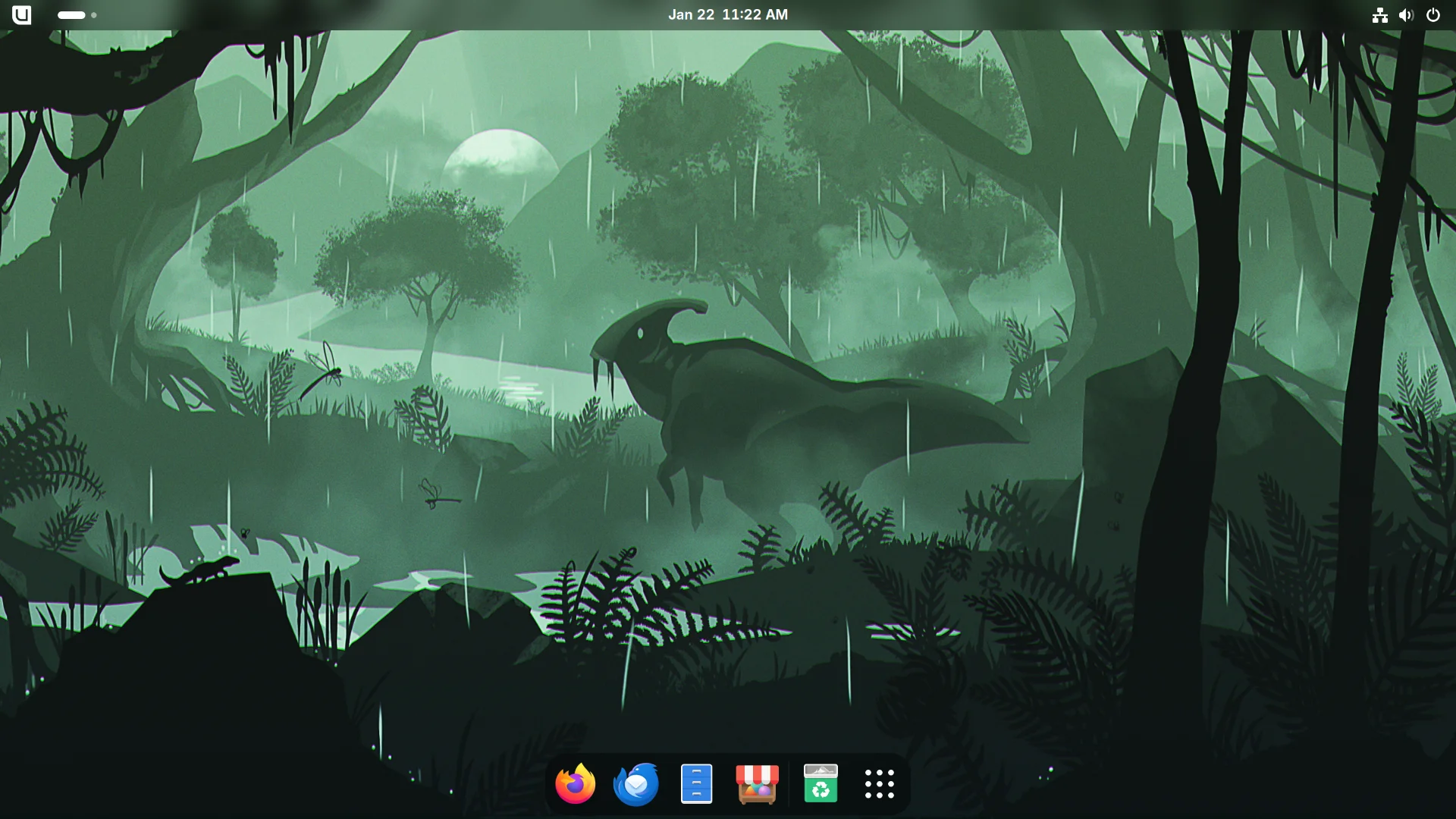
Bluefin features a GNOME (Donate) desktop configured by our community. It is designed to be hands-off and stay out of your way so you can focus on your applications.
System updates are image-based and automatic. Applications are logically separated from the system by using Flatpaks for graphical applications and brew for command-line applications.
Bluefin is "An interpretation of the Ubuntu spirit built on Fedora technology"—a callback to an era of Ubuntu's history that many open source enthusiasts grew up with, much like the Classic X-Men. We aim to bring that same vibe here; think of us as the reboot. Chill vibes.
- Ubuntu-like GNOME layout integrating curated extensions:
- Dash to Dock - for a familiar dock
- Appindicator - for tray-like icons in the top right corner
- GSConnect - integrate your mobile device with your desktop
- Blur my Shell (Donate) - for that bling
- Search Light - provides search functionality and a macOS Spotlight-like workflow bound to Super-Space by default
- Developer Mode - dedicated developer tooling that transforms Bluefin into a powerful cloud-native workstation
- Ptyxis terminal for container-focused workflows
- Distroshelf (Donate) for container management
- Tailscale included for VPN along with
wireguard-toolsand systray support - GNOME Extensions Manager (Donate) included
- Bazaar Application Store featuring Flathub:
- Quality of Life Features:
- Starship terminal prompt enabled by default
- Solaar for Logitech mice along with
libratbagd - rclone and restic for cloud storage mounts and modern file backups
zshandfishincluded as optional shells- Switcheroo support for laptops with dual GPUs
- Universal Blue foundation:
- Extra udev rules for game controllers and other hardware out of the box
- All multimedia codecs included
- Staged automatic updates: use your computer normally and shut it off when you're done
Distroless Focus
Bluefin specifically ships upstream tools in lieu of custom applications. The idea of a "distribution app store" has proven to be unsustainable for desktop application authors, so Bluefin ships tools like Bazaar and Homebrew instead. Workflows remain not only distribution agnostic, but operating system agnostic.
The workflows in Bluefin are purposely upstream focused -- we believe in a consistent Linux experience for everyone, whether it's WSL on Windows, Podman/Docker on a Mac, or any Linux system. The cloud native ecosystem has proven that this model works. This allows millions of existing developers to onboard with a workflow that they already know, and allows Linux to compete where it matters the most.
Next Steps
- Downloads — grab an official Bluefin ISO or torrent
- Installation Runbook — hardware planning and setup steps
- Desktop Guide — day-to-day administration, updates, and apps
- Developer Guide — containers, devcontainers, and AI tooling
- Server Guide — image-based, DDI-first Linux server operating system
The announcement blog post also has some extra background information.
Introductory Videos and Podcasts
Check out our list of videos and reviews for more information.
"Evolution is a process of constant branching and expansion."
-- Stephen Jay Gould

